
Python Fundamentals Series · Part 9 of 12
Python #8: Tuples, Dictionaries & Sets Explained | From Basics to Advanced Concepts
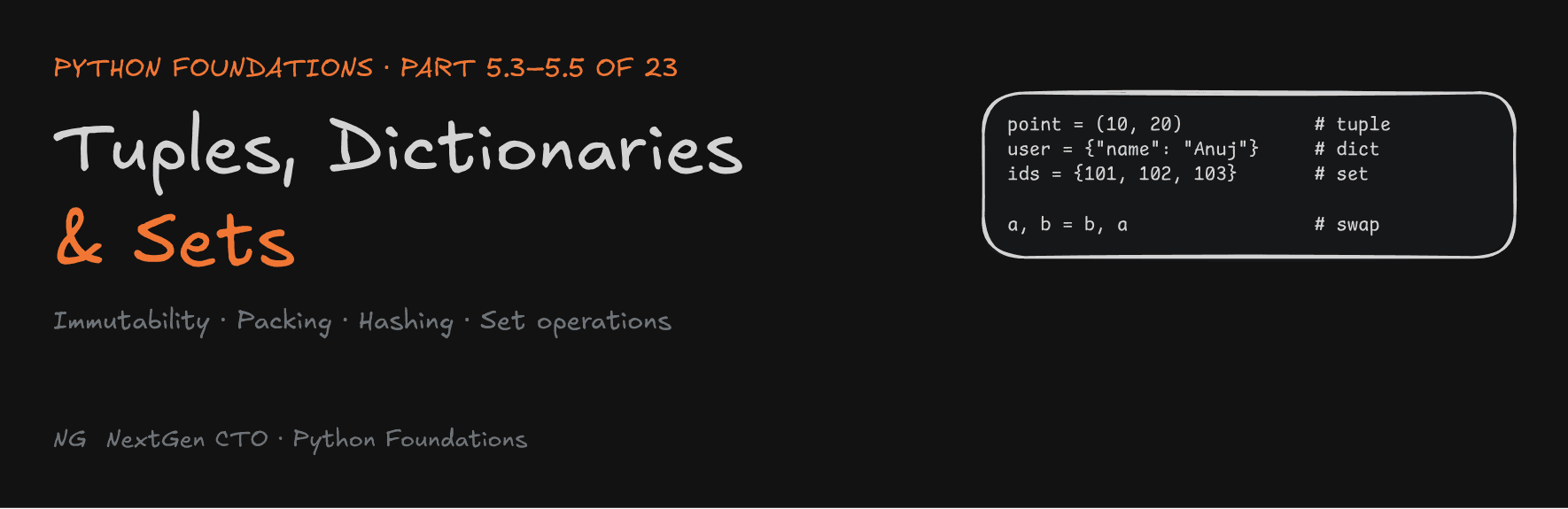
Python Foundations · Part 5.3–5.5 of 23
Tuples, Dictionaries and Sets
Fixed records, key-value lookups and unique collections: the three data structures that sit beside the list, and how hashing makes two of them so fast.

You've mastered the list: ordered, mutable, indexed by position. This part covers the other three core data structures: the tuple (5.3), the dictionary (5.4) and the set (5.5). Each one solves a problem a list handles badly.
Part 5.3 — Tuples
What Is a Tuple?
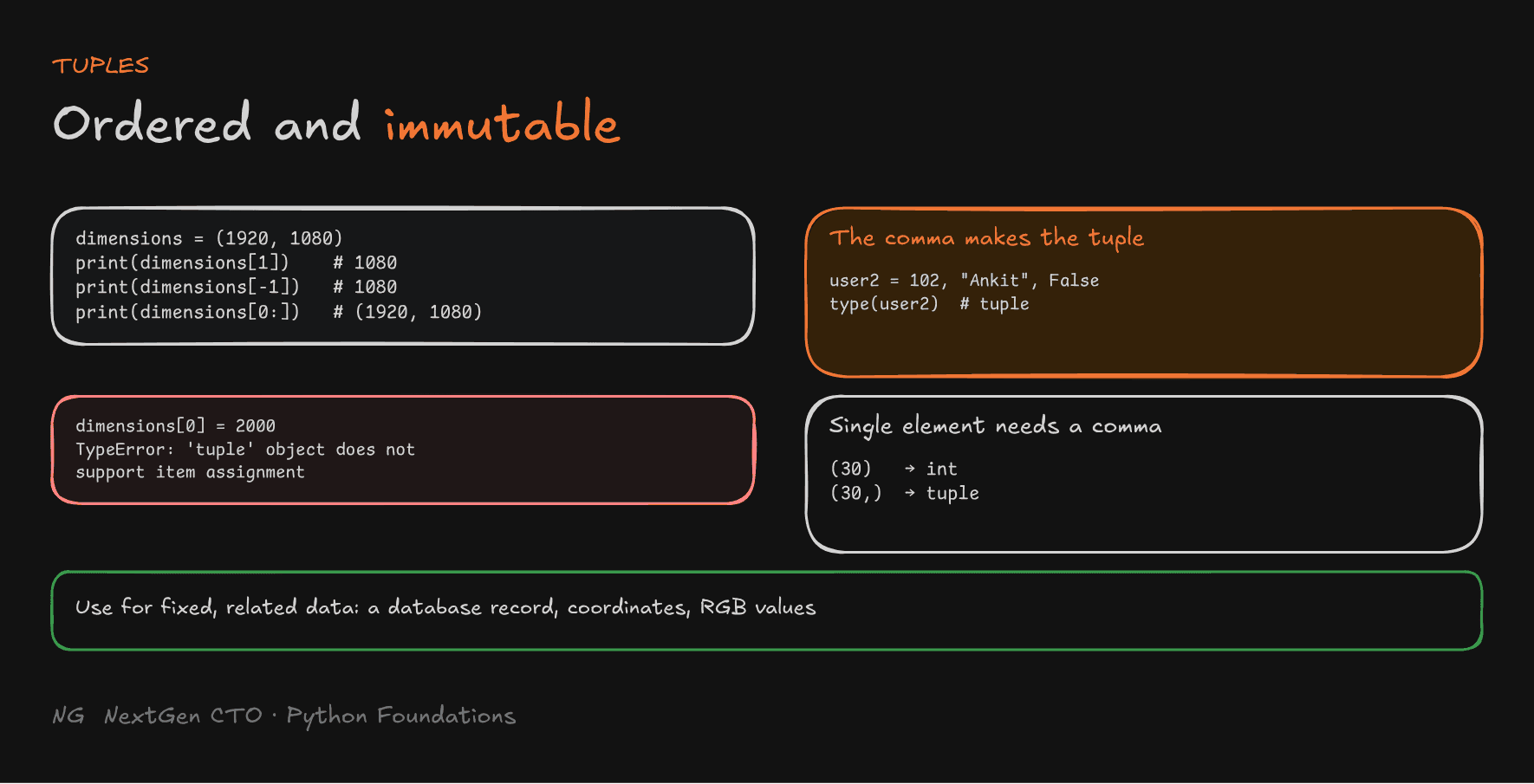
A tuple is an ordered, immutable collection.
- Like a list, it keeps order, allows duplicates, and can hold mixed types.
- Unlike a list, once created, its elements can't be replaced, added or removed.
- Use it for related data that should stay fixed, like a record fetched from a database: an ID, a name and a percentage that belong together and shouldn't change inside your program.
Defining a Tuple
Tuples are usually written with parentheses, with elements separated by commas:
coordinates = (100, 200)
rgb_color = (255, 0, 0)
user = (101, "Anuj", True)     # mixed types
empty = ()

print(type(coordinates))       # <class 'tuple'>
Each position has a specific meaning: in user, position 0 is the ID, position 1 the name, position 2 an "enrolled" flag.
It's the comma that makes a tuple, not the parentheses:
user2 = 102, "Ankit", False
print(type(user2))             # <class 'tuple'>
Immutability in Tuples
Tuples support indexing, negative indexing and slicing, just like lists. They don't support changes:
dimensions = (1920, 1080)

print(dimensions[1])     # 1080
print(dimensions[-1])    # 1080
print(dimensions[0:])    # (1920, 1080)

dimensions[0] = 2000
# TypeError: 'tuple' object does not support item assignment
This protects data from accidental changes. Pass a tuple to any function, and you know it comes back untouched.

The Catch: A Mutable Object Inside a Tuple
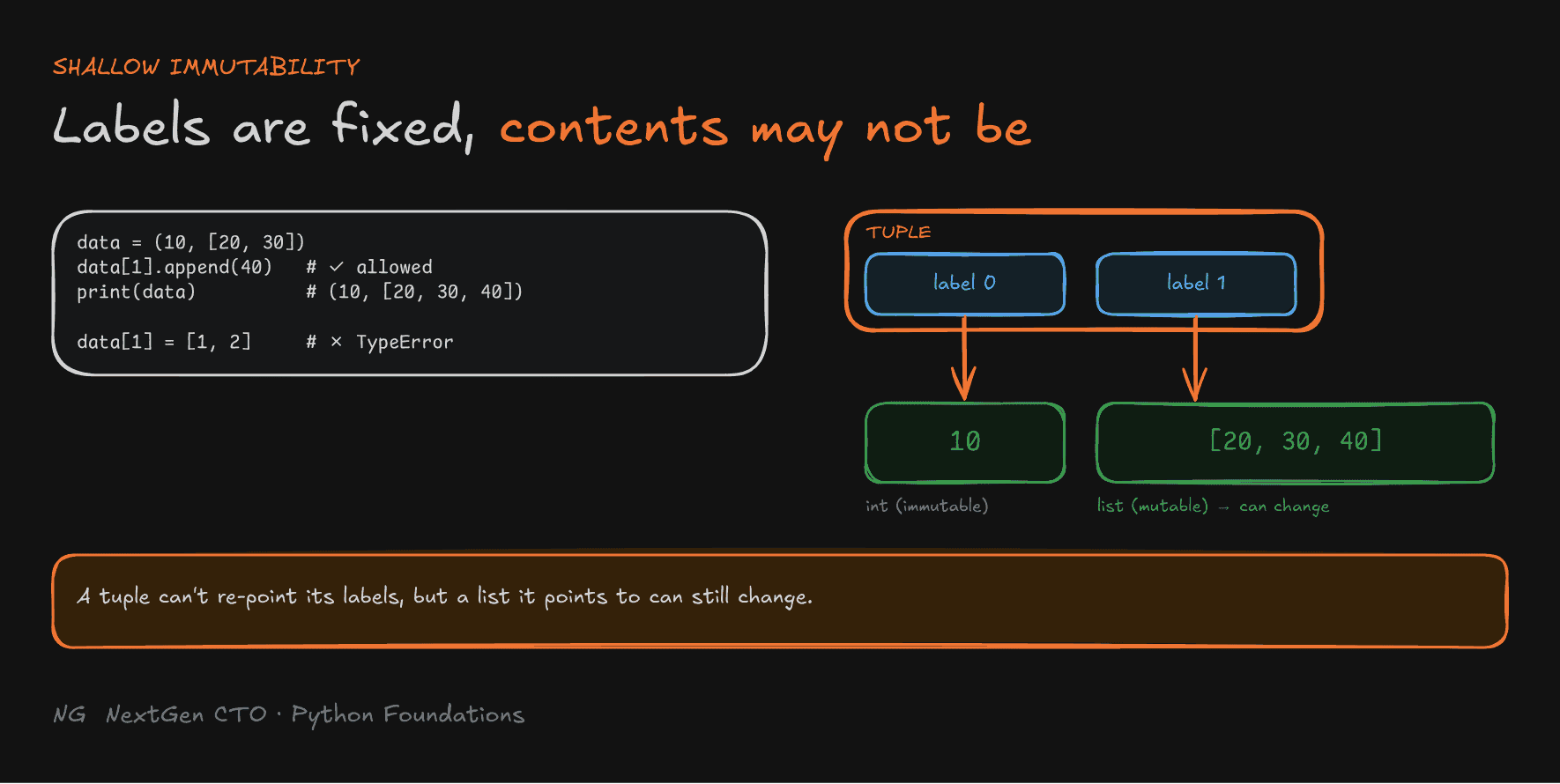
Immutability is shallow. The tuple's labels can't be re-pointed, but if a label points to a mutable object like a list, that list can still change:
data = (10, [20, 30])

data[1].append(40)      # allowed: we're changing the list, not the tuple
print(data)             # (10, [20, 30, 40])

data[1] = [1, 2]        # TypeError: the tuple's label can't be re-pointed
Single-Element Tuples
a = (30)      # just the number 30 in parentheses
b = (30,)     # a tuple with one element

print(type(a))   # <class 'int'>
print(type(b))   # <class 'tuple'>
Without the comma, Python treats the parentheses as an ordinary expression, like (3 * 2). A single-element tuple needs a trailing comma.
Packing, Unpacking and Swapping
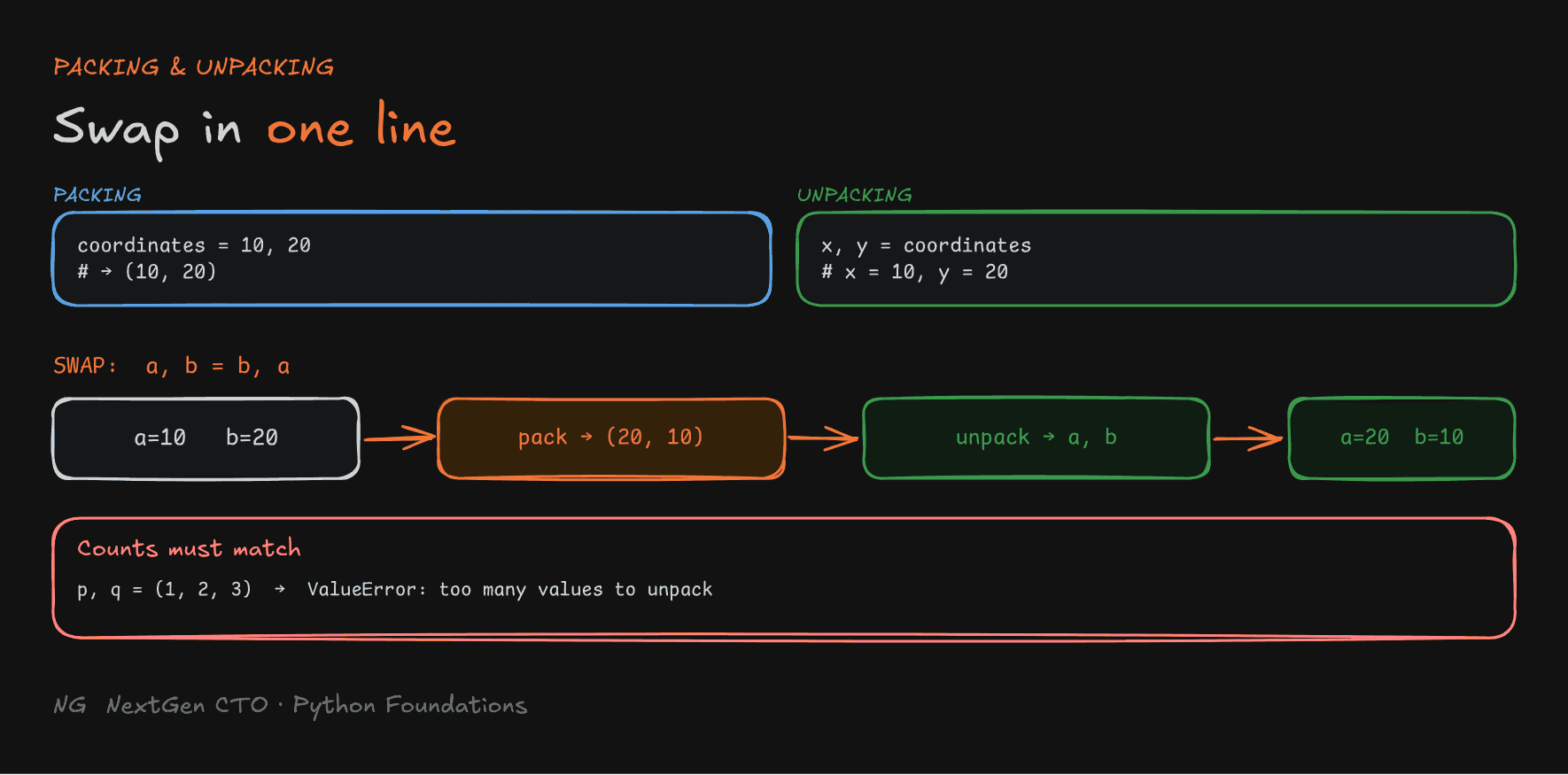
Packing: comma-separated values are automatically combined into one tuple.
coordinates = 10, 20 # packed into (10, 20)Unpacking: a tuple's values are extracted into separate variables. The number of variables must match the number of elements.
x, y = coordinates
print(x, y)                 # 10 20

p, q = (1, 2, 3)            # ValueError: too many values to unpack
Swapping without a temp variable. In C++ or Java you'd need temp = a; a = b; b = temp. In Python:
a, b = 10, 20
a, b = b, a
print(a, b)                 # 20 10
The right side b, a is evaluated first and packed into (20, 10). That tuple is then unpacked into a and b.

Tuples as Records
student = (1, "Anuj", 98.2)     # e.g. a row fetched from a database

student_id, name, percentage = student
print(student_id, name, percentage)
Each position has a fixed meaning, types can differ, and unpacking gives each value a readable name.
Lists vs Tuples
Use a list when the data needs to change: items added, removed or updated. Use a tuple when the structure and element references should stay fixed.
Puzzle from the video:
a = 10; b = 20; t = (a, b); a = a + 1. What doesprint(t)show? It's(10, 20).a + 1creates a newintobject11and moves the labelato it. The tuple still points to the original10.
Part 5.4 — Dictionaries
What Is a Dictionary?
A list finds data by position: profile[1]. But what if you want the name, not "whatever is at index 1"? A dictionary stores data as key-value pairs, so each value is found by a meaningful key.
- Each key acts as a label for its value.
- Values are accessed by key, not by index.
- Great for structured data: user profiles, products, settings.
- Dictionaries are mutable: you can add, update and remove pairs.
Defining a Dictionary
product = {
    "name": "Keyboard",
    "price": 800,
    "in_stock": True,
}

print(type(product)) # <class 'dict'>- Created with curly braces
{}, with each key and value separated by a colon, and pairs separated by commas. - Keys must be unique. A duplicate key overwrites the earlier value:
data = {"name": "Anuj", "name": "Ankit"}
print(data) # {'name': 'Ankit'}- Keys must be hashable: strings, numbers, or tuples of hashable values. Values can be anything.
- Since Python 3.7, dictionaries preserve insertion order.
How Lookups Are So Fast: Hashing
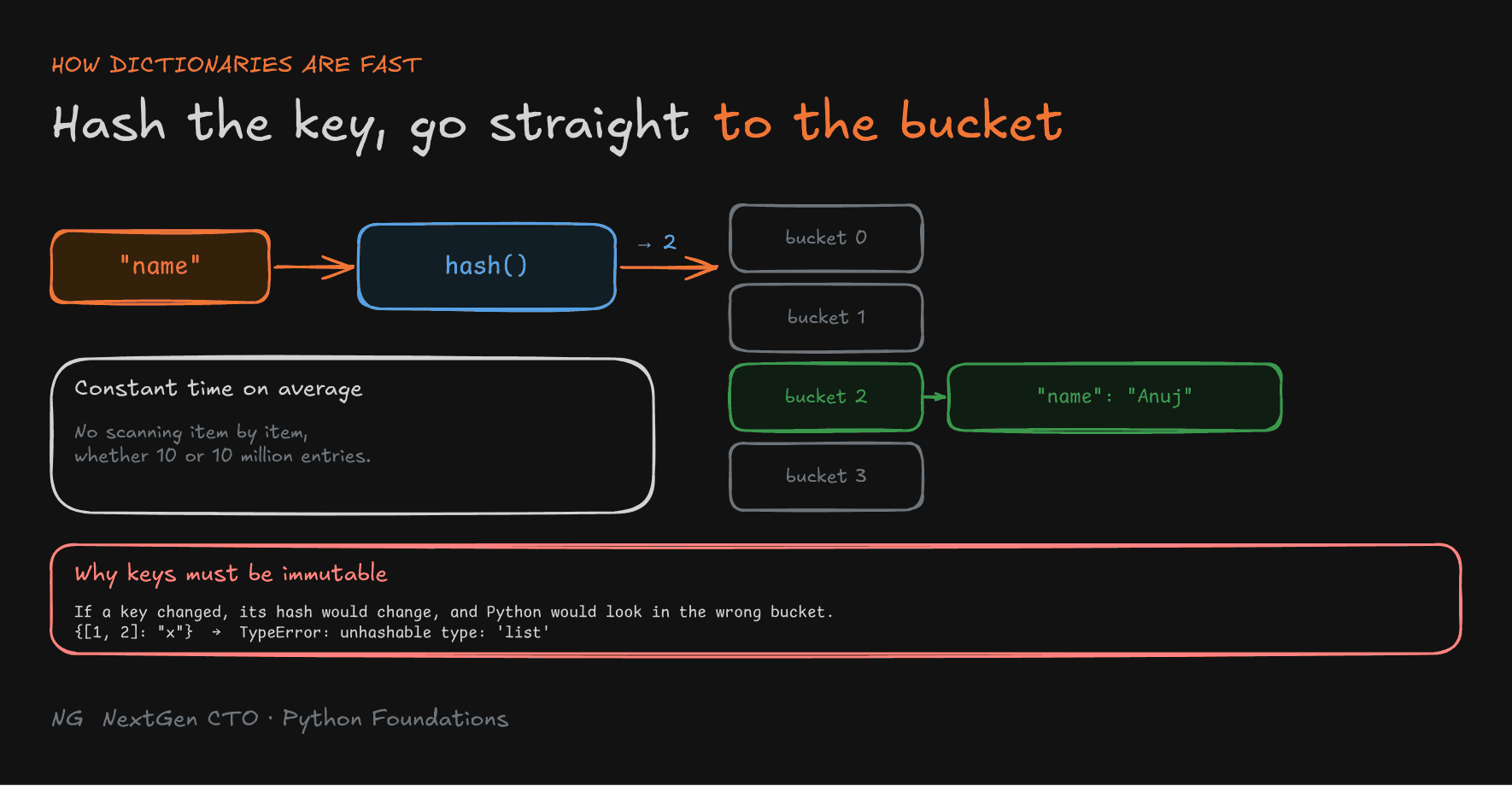
A dictionary is built on a hash table: an array of buckets.
- The key (say
"name") goes through a hash function, which calculates a number. - That number decides which bucket stores the key-value pair.
- To look it up later, Python hashes the key again and goes straight to that bucket.
There's no scanning item by item, so lookups take constant time on average, whether the dictionary has 10 entries or 10 million.
Why keys must be immutable: suppose a list [10, 20] were a key, stored in bucket 0. If you appended 30, its hash would change, and the next lookup would search a different bucket and never find the entry. Immutable keys keep the hash stable, so Python refuses mutable ones:
{[1, 2]: "x"} # TypeError: unhashable type: 'list'
Looking Up Data
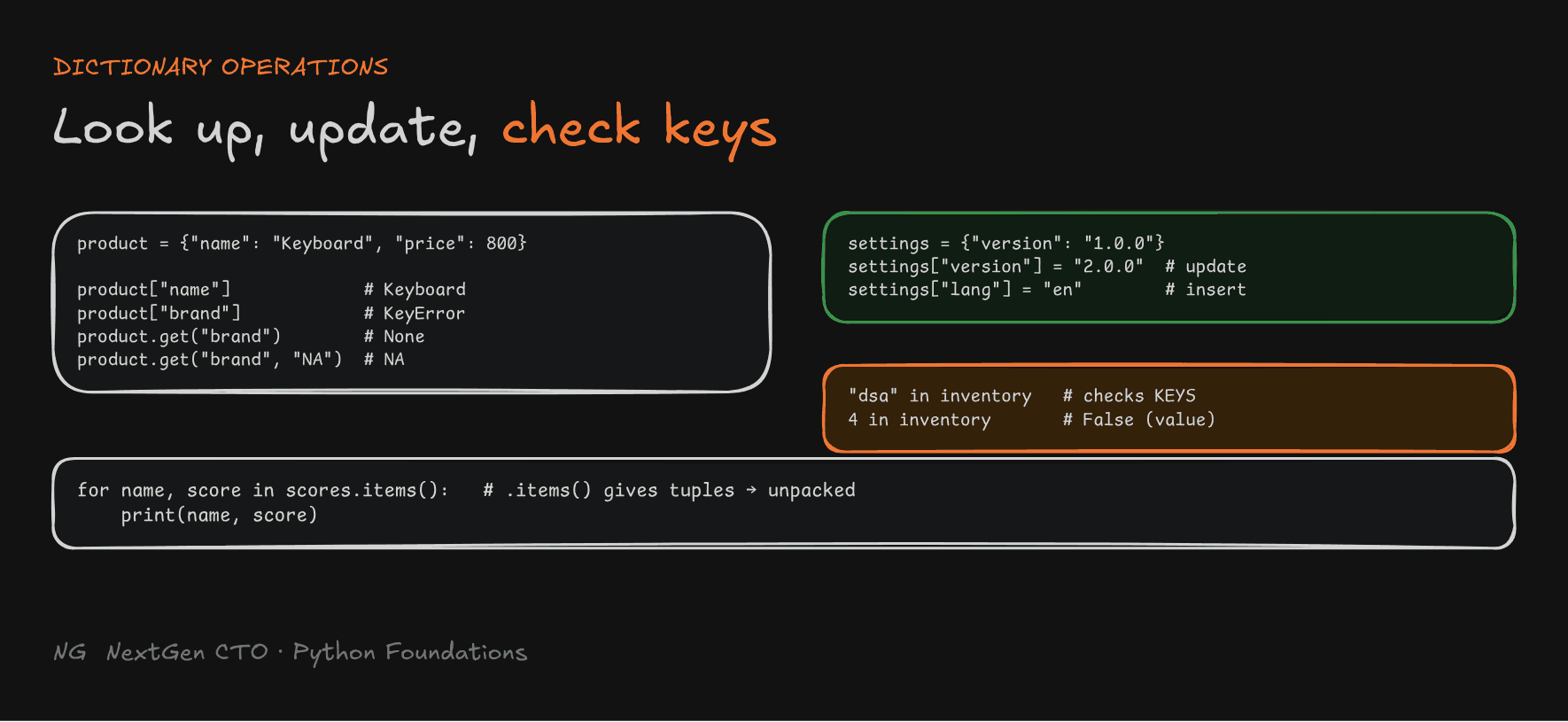
print(product["name"])     # Keyboard
print(product["brand"])    # KeyError: 'brand'
Safe access with .get(): it returns None (or a default you choose) instead of raising an error:
print(product.get("brand"))             # None
print(product.get("brand", "Unknown"))  # Unknown
print(product.get("name"))              # Keyboard
Inserting and Updating Data
The same syntax does both: if the key exists, the value is updated; if not, a new pair is added.
settings = {"version": "1.0.0"}

settings["version"] = "2.0.0"   # key exists → update
settings["lang"] = "en"         # new key → insert

print(settings)   # {'version': '2.0.0', 'lang': 'en'}
Checking for Keys with in
in checks whether a key exists, which avoids a KeyError. It checks keys, not values:
course_inventory = {"python": 4, "dsa": 2}

if "dsa" in course_inventory:
    course_inventory["dsa"] = 4

print("dsa" in course_inventory)   # True
print(4 in course_inventory)       # False: 4 is a value, not a key
Iterating over Dictionaries
scores = {"Nitin": 90, "Yogesh": 93, "Preet": 96}

for name in scores:                  # keys, by default
    print(name)

for score in scores.values():        # values
    print(score)

for name, score in scores.items():   # key-value pairs
    print(name, score)
.items() gives tuples like ("Nitin", 90), and name, score unpacks each one: the same packing and unpacking from tuples.
Lists organize data by position. Dictionaries organize data by meaningful keys, with fast lookup, insert and update.
Part 5.5 — Sets
What Is a Set?
A set stores unique elements: think of a dictionary with keys but no values.
- Duplicates are removed automatically.
- Sets are unordered and don't support indexing.
- Perfect for checking existence and comparing data.
Example: your videos have 1,000 viewers, but the watch log has the same IDs many times over. Put the IDs in a set and you get exactly the unique viewers.
Defining a Set
colors = {"red", "green", "orange"}
numbers = set([1, 2, 3, 2])     # convert a list → {1, 2, 3}

a = {}        # ⚠️ this is an empty DICTIONARY
b = set()     # this is an empty set

print(type(a), type(b)) # <class 'dict'> <class 'set'>- Created with
{}holding values, or withset(). set()can turn any iterable (a list, tuple, string) into a set.- Elements must be hashable, just like dictionary keys.
Membership Testing
blocked = {"user1", "user2", "user3"}

print("user2" in blocked)       # True
print("user1" not in blocked)   # False
A set uses hashing too, so in is constant time on average. A list has to check items one by one.
Mathematical Set Operations
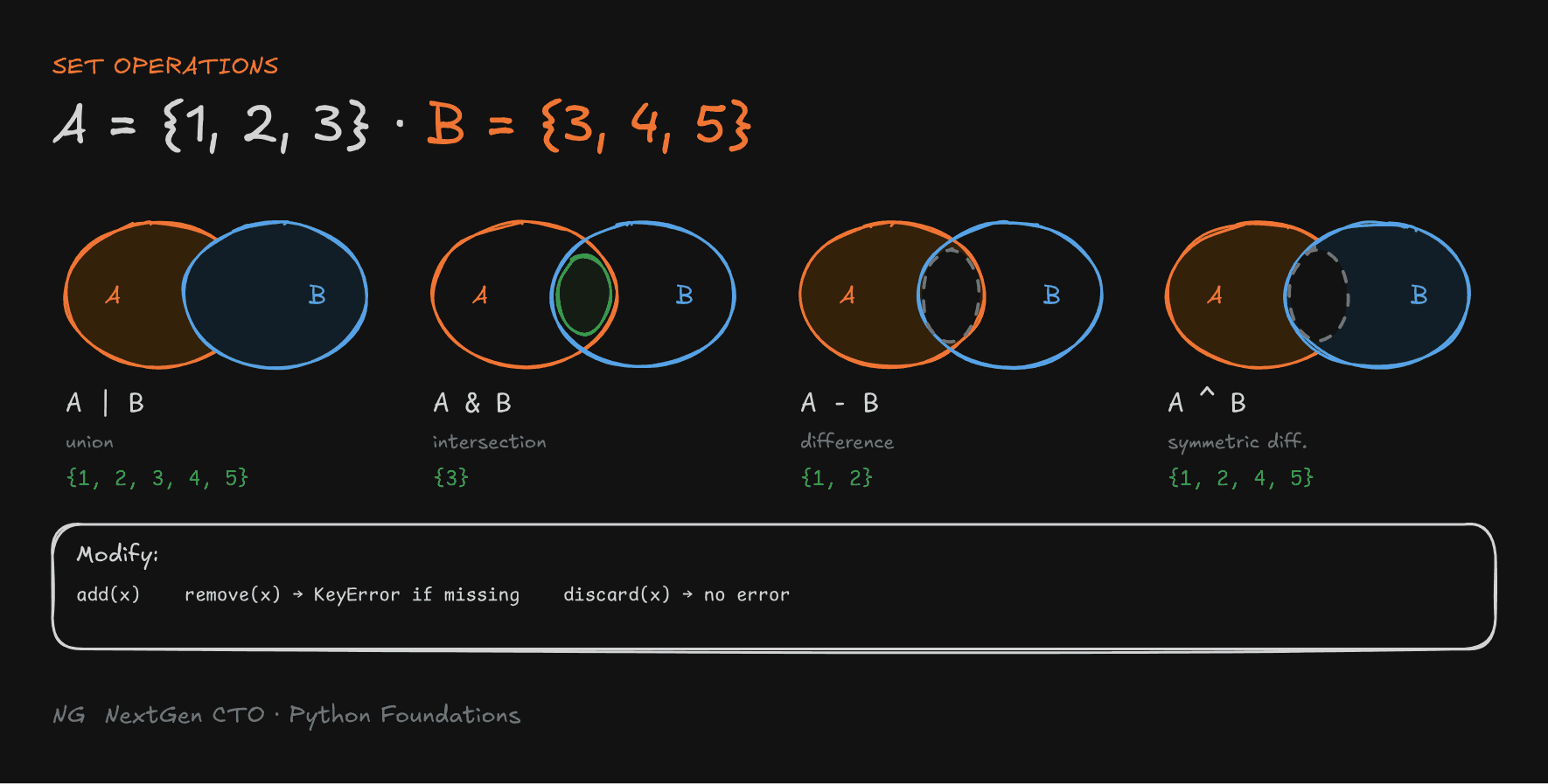
A = {1, 2, 3}
B = {3, 4, 5}

print(A | B)   # {1, 2, 3, 4, 5}   union: everything, no duplicates
print(A & B)   # {3}               intersection: in both
print(A - B)   # {1, 2}            difference: in A, not in B
print(A ^ B)   # {1, 2, 4, 5}      symmetric difference: in exactly one
Modifying Sets
users = {"Anuj", "Ankit"}

users.add("Anamika")      # add an element (adding an existing one does nothing)
users.remove("Anuj")      # remove; raises KeyError if missing
users.discard("Anuj")     # remove if present; NO error if missing

print(users)              # {'Anamika', 'Ankit'} (order not guaranteed)
Practical Use: Deduplication
fruits = ["apple", "banana", "apple", "orange", "banana"]

unique = set(fruits)
result = list(unique)
print(result)     # e.g. ['orange', 'apple', 'banana']: order NOT preserved
Converting a list to a set removes duplicates, and list() turns it back into a list, but the original order is lost.
Tip: need unique items and the original order? Use
list(dict.fromkeys(fruits)), which gives['apple', 'banana', 'orange']. It works because dictionary keys are unique and keep insertion order.
When to use a set: when uniqueness and fast membership checks matter more than order.

Key Takeaways
- Tuple: ordered and immutable. The comma makes it, so
(30,)is a tuple and(30)isn't. Immutability is shallow. - Packing combines values into a tuple and unpacking splits them out, which makes
a, b = b, aa one-line swap. - Dictionary: key-value pairs, unique hashable keys, ordered since Python 3.7. Use
.get()for safe lookups andinto check keys. - Hashing sends each key straight to a bucket, so lookups are constant time on average. That's why keys must be immutable.
- Set: unique, unordered, no indexing. Use
{}with values orset(), never{}alone for an empty set. - Set operations:
|union,&intersection,-difference,^symmetric difference.discard()is the safe remove.
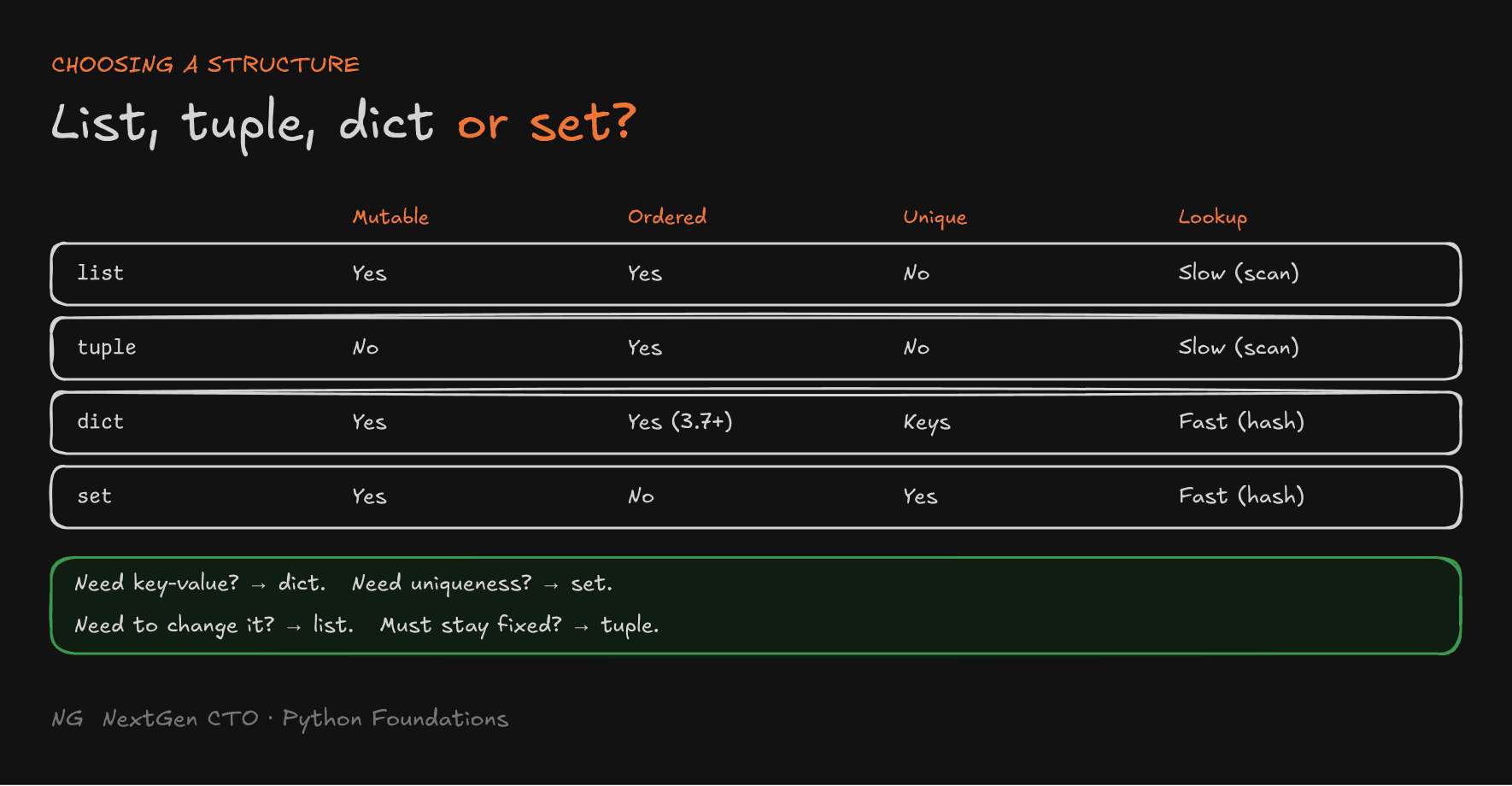
The main principle: choose the structure by what the data needs to do: change, stay fixed, be looked up by name, or stay unique.
Up next → Part 5.6: Choosing the Right Data Structure