
Python Fundamentals Series · Part 11 of 12
Python #10: Variable Scope, Lifetime, Default Arguments& Closures Explained | Python for Beginners
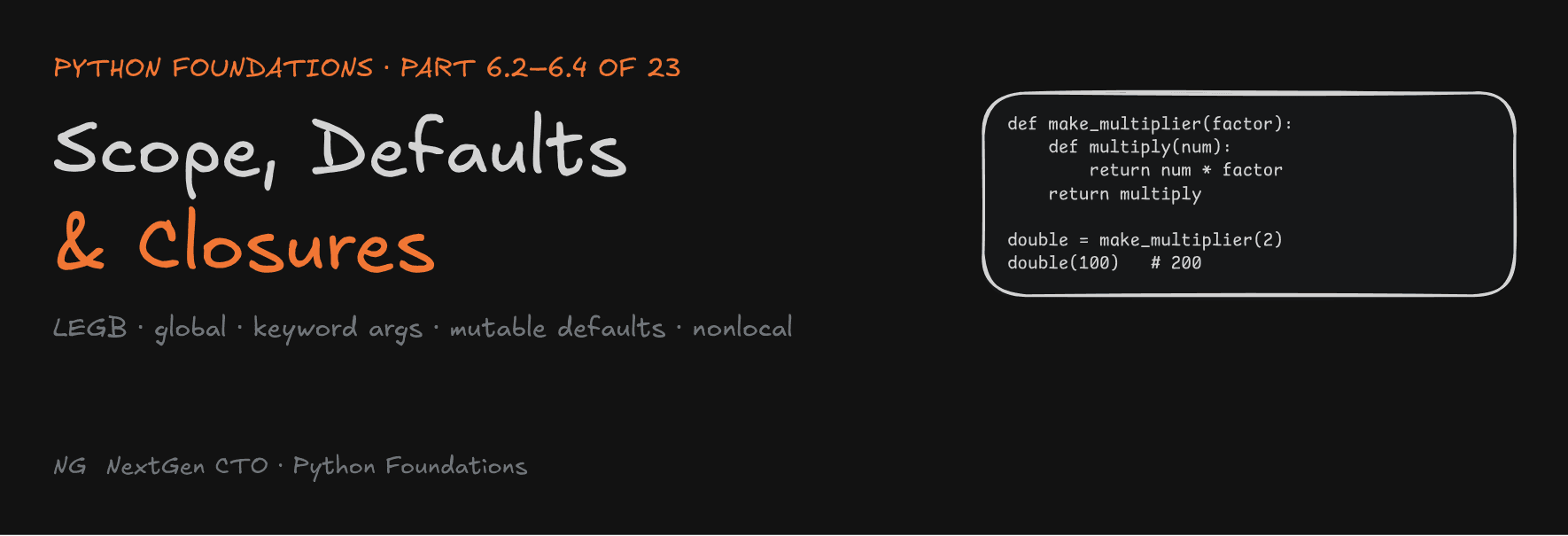
Python Foundations · Part 6.2–6.4 of 23
Scope, Lifetime, Default Arguments and Closures
Where a variable lives and how long it survives, the mutable-default trap that shows up in interviews, and closures: functions that remember.

These three topics are among the trickiest parts of any language: JavaScript, Java, C++ or Python. In Python they're easier, because everything comes back to one idea you already know: a name is a label pointing to an object, and each function call gets its own stack frame. This part covers scope and lifetime (6.2), default and keyword arguments (6.3), and inner functions and closures (6.4).
Part 6.2 — Variable Scope and Lifetime
What Is Scope?
Scope defines where a variable can be accessed. It's why a variable x inside a function and a variable x outside it don't interfere with each other.
There are three basic scopes:
- Local: variables created inside a function.
- Global: variables created at the top level of a file (the module).
- Built-in: names Python predefines, like
print,len,strandlist.
Local Scope and Lifetime
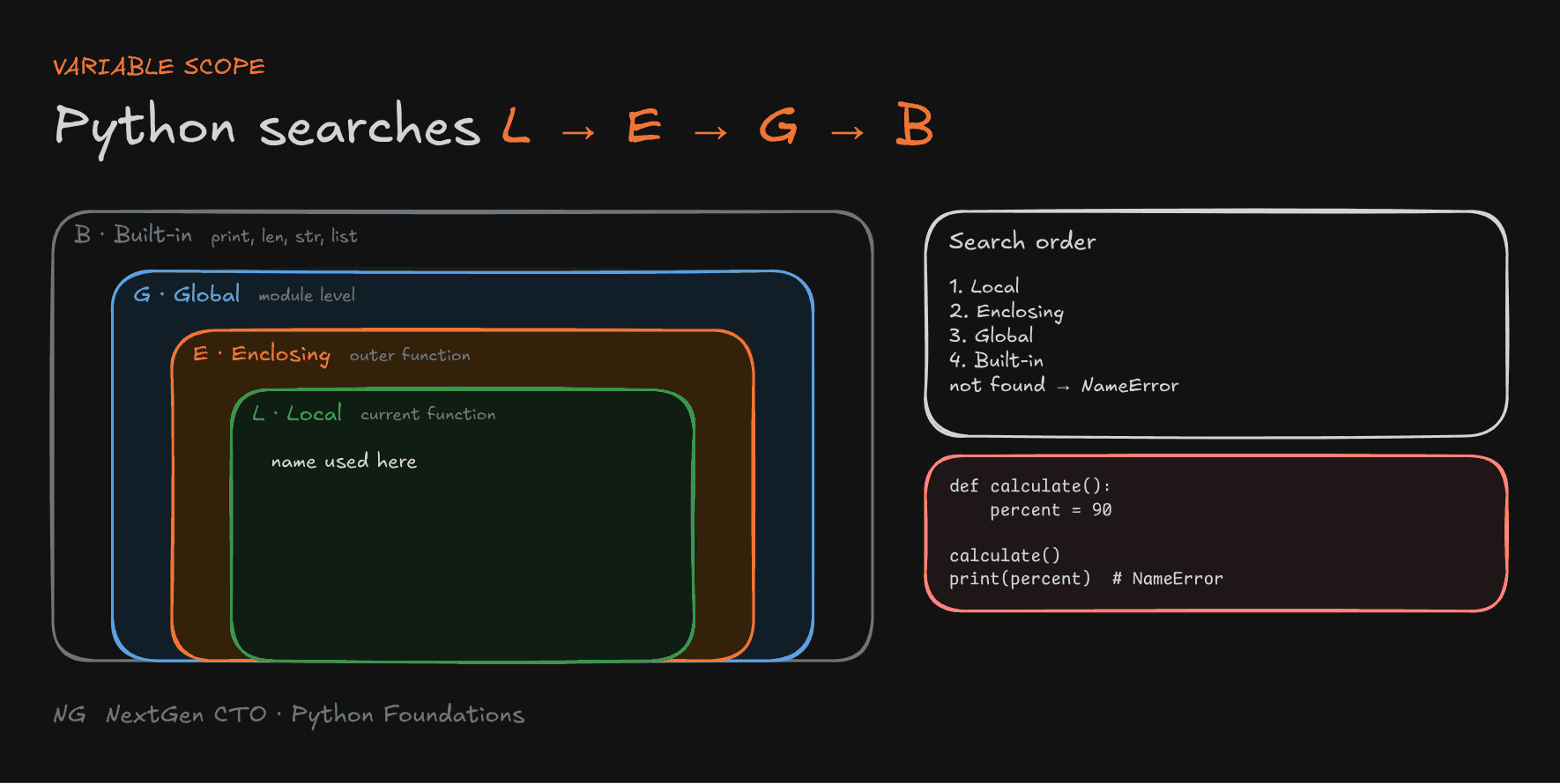
def calculate():
    percent = 90       # created in calculate()'s stack frame
    print(percent)

calculate()            # 90
print(percent)         # NameError: name 'percent' is not defined
When calculate() is called, its stack frame is created and percent lives there. When the function finishes, the frame is removed, and percent goes with it.
The object doesn't always die with the name. Python deletes an object only when nothing references it any more (its reference count reaches zero). If the function returns the value and the caller stores it, the object lives on under the new name:
def calculate():
    percent = 90
    return percent

x = calculate()        # the label "percent" is gone, but x now points to 90
Scope vs lifetime: scope decides where a name can be used. Lifetime decides how long a name or object stays alive. They're related, but not the same thing.
Global Scope
Variables defined at the top of a module are global. Functions can read them:
app_name = "Python Course"       # global

def welcome():
    print(f"Welcome to {app_name}")   # not local → found in global scope

welcome()
Module-level variables are a good fit for constants and configuration: a port number, an app name, a version.
The LEGB Rule
When Python meets a name, it searches scopes in a fixed order, from the inside out:
- Local: inside the current function
- Enclosing: inside any outer function (more on this in 6.4)
- Global: the module
- Built-in: Python's predefined names
If the name isn't found in any of them, Python raises a NameError.

Shadowing
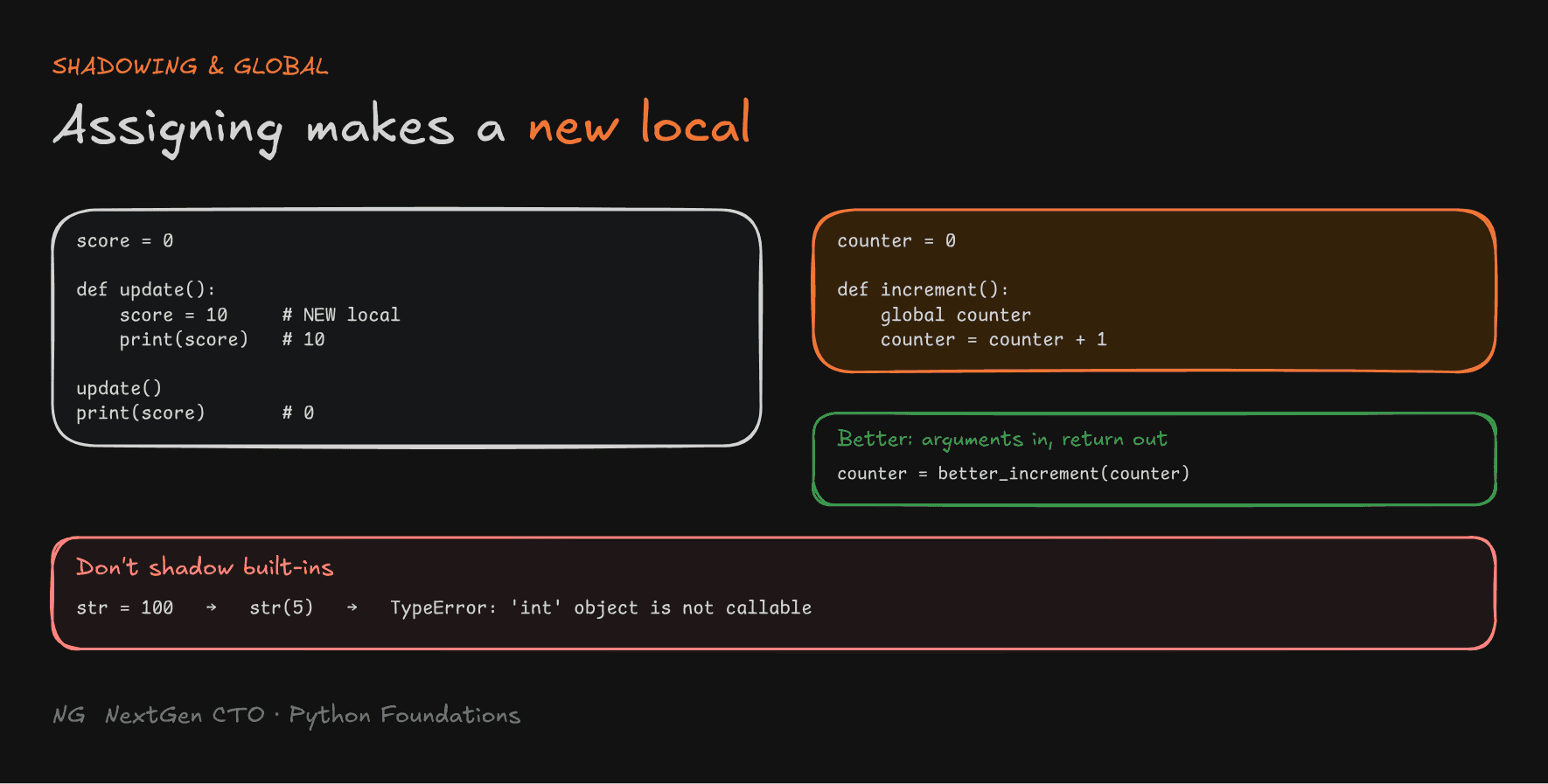
A local variable with the same name as a global one hides it inside the function. This is called shadowing:
score = 0

def update():
    score = 10            # a NEW local variable, not the global one
    print(score)          # 10

update()
print(score)              # 0: the global was never touched
Modifying Globals with global
Assigning inside a function normally creates a local variable. To reassign a module-level variable, declare it with global:
counter = 0

def increment():
    global counter
    counter = counter + 1

increment()
increment()
increment()
print(counter)    # 3
Avoid this in real code. When any function can silently change a global, debugging means checking every function that might have touched it. The cleaner way is arguments in, return values out:
def better_increment(counter):
    return counter + 1

counter = 0
counter = better_increment(counter)
counter = better_increment(counter)
print(counter)    # 2: every change is visible right here
Built-in Scope and Shadowing Built-ins
Built-in names like print, len, str and list are available everywhere without importing anything, and they're searched last. So if you create a global with the same name, yours wins:
str = 100
str(5)     # TypeError: 'int' object is not callable
Python found str in the global scope (your 100) before it ever reached the built-in. Never use built-in names for your variables.

Part 6.3 — Default and Keyword Arguments
Positional, Required Arguments
def add(a, b):
    return a + b

add(10, 20)    # 10 → a, 20 → b, by position
Both a and b are required: you must pass both.
Default Arguments: Making Parameters Optional
Some inputs have a sensible default. A run_server(name, port) function shouldn't force every caller to choose a port. Default arguments make a parameter optional:
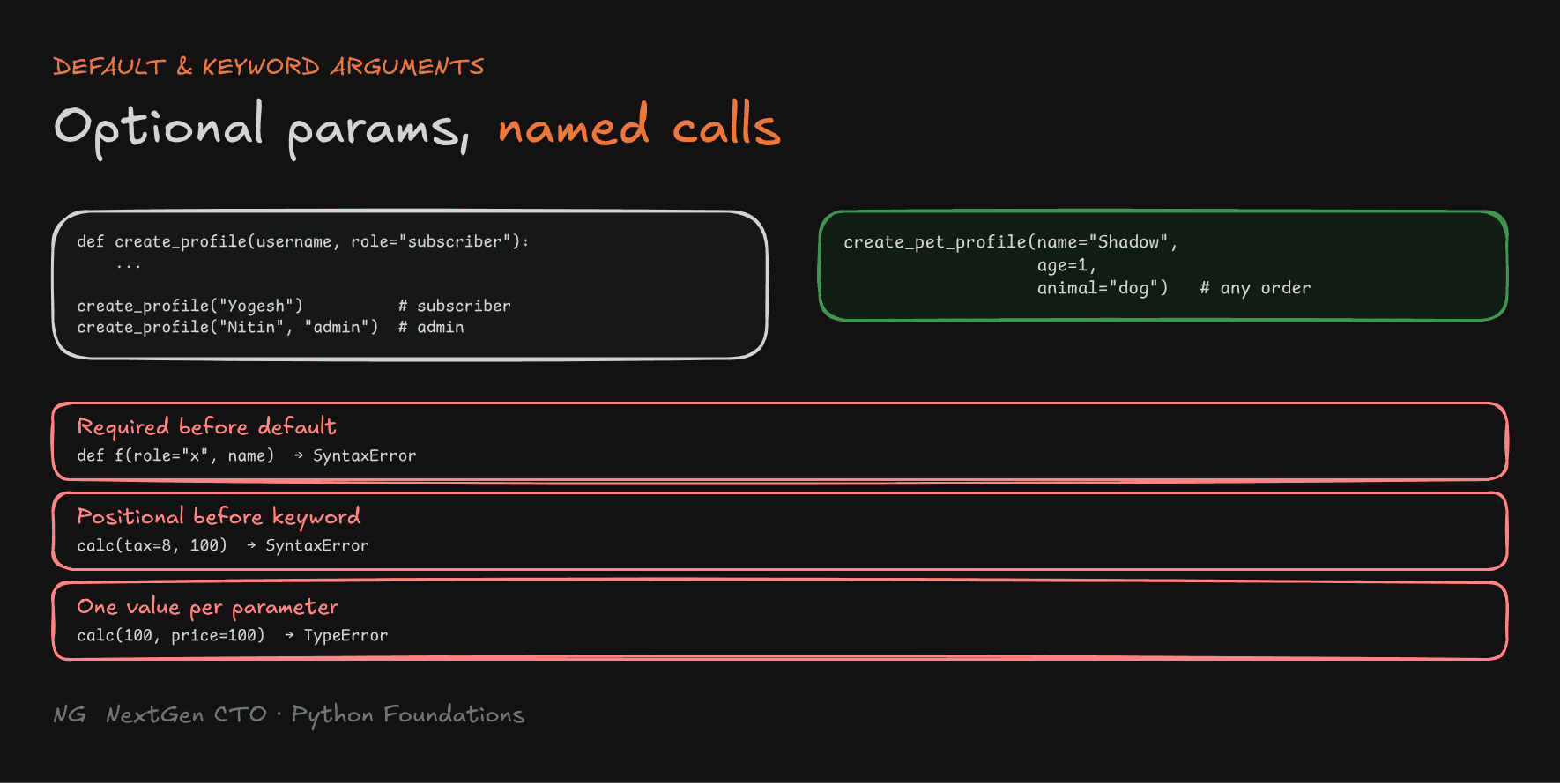
def create_profile(username, role="subscriber"):
    print(f"Hi, I am {username}, a {role} of the CTO Bhaiya channel")

create_profile("Yogesh")            # role → "subscriber"
create_profile("Nitin", "admin")    # the passed value overrides the default
Required parameters must come before default parameters:
def create_profile(role="subscriber", username):   # ❌
# SyntaxError: parameter without a default follows parameter with a default
The rule keeps argument matching simple: positional arguments fill parameters left to right, and anything left over uses its default.
Keyword Arguments: Passing by Name
With many parameters, positional calls get unreadable. Keyword arguments pass values by parameter name, and the order doesn't matter:
def create_pet_profile(name, animal, age):
    print(name, animal, age)

create_pet_profile(name="Shadow", age=1, animal="dog")
The call now documents itself: you can see "Shadow" is the name, not the animal.
Mixing Positional and Keyword Arguments
def calculate_total(price, tax, discount):
    return price + tax - discount

calculate_total(100, tax=8, discount=5)     # ✅ 103

calculate_total(tax=8, 100)
# SyntaxError: positional argument follows keyword argument

calculate_total(100, price=100)
# TypeError: calculate_total() got multiple values for argument 'price'
Two rules:
- Positional arguments must come before keyword arguments.
- A parameter can't receive more than one value.

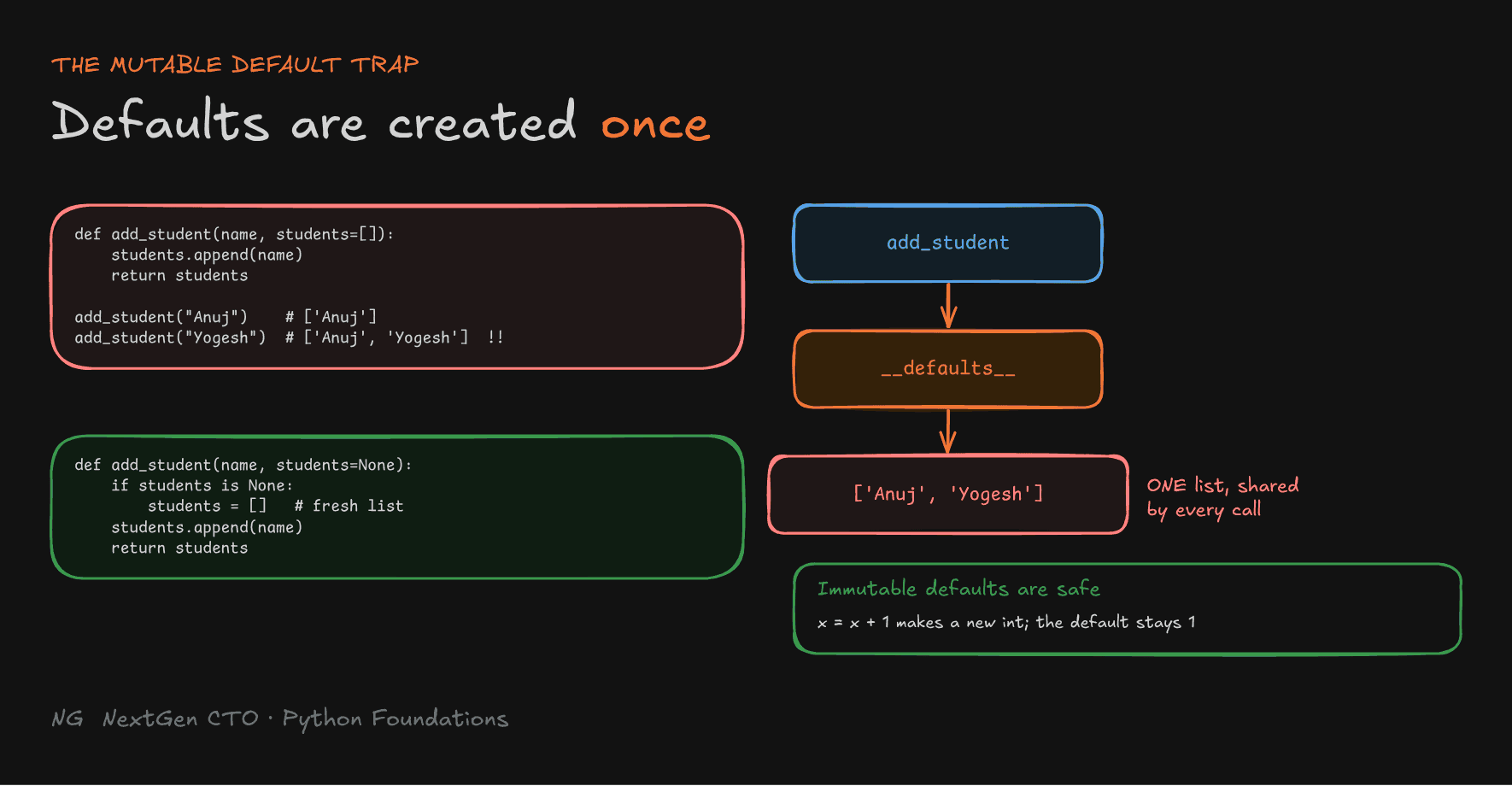
The Mutable Default Argument Trap
This is a classic interview question. What does this print?
def add_student(name, students=[]):
    students.append(name)
    return students

print(add_student("Anuj"))
print(add_student("Yogesh"))
print(add_student("Mantra"))
You'd expect ['Anuj'], ['Yogesh'], ['Mantra']. The actual output:
['Anuj']
['Anuj', 'Yogesh']
['Anuj', 'Yogesh', 'Mantra']
Why? Default values are evaluated once, when the function is defined, not on every call. Python stores them on the function object, in add_student.__defaults__. There's one empty list, created at definition time, and every call that skips students gets a label pointing to that same list. Each append changes the shared list.
print(add_student.__defaults__) # (['Anuj', 'Yogesh', 'Mantra'],)The fix: use None as the default, and create a fresh list inside the function:
def add_student(name, students=None):
    if students is None:
        students = []          # a NEW list on every call
    students.append(name)
    return students

print(add_student("Anuj"))     # ['Anuj']
print(add_student("Yogesh"))   # ['Yogesh']
Why immutable defaults are safe:
def f(x=1):
    x = x + 1
    print(x)

f()   # 2
f()   # 2
x + 1 creates a new int object and points the local x at it. The default 1 stored on the function is never changed.

Part 6.4 — Inner Functions and Closures
Functions Are First-Class Objects
A def creates a function object, and the function's name is just a label pointing to it. So functions can be used like any other object:
- assigned to variables
- passed as arguments
- returned from other functions
def greet():
    print("Hello")

say_hello = greet     # another label for the same function object
say_hello()           # Hello
Inner Functions
A function can be defined inside another function:
def outer():
    name = "Babua"

    def inner():
        print(name)    # not local → found in the ENCLOSING function

    inner()

outer() # Babua- The inner function is created each time
outer()runs. - It can read variables from the enclosing function. This is the E in LEGB.
nameisn't available outsideouter().
This is called lexical scoping: what a function can see depends on where it's written in the code.
Closures
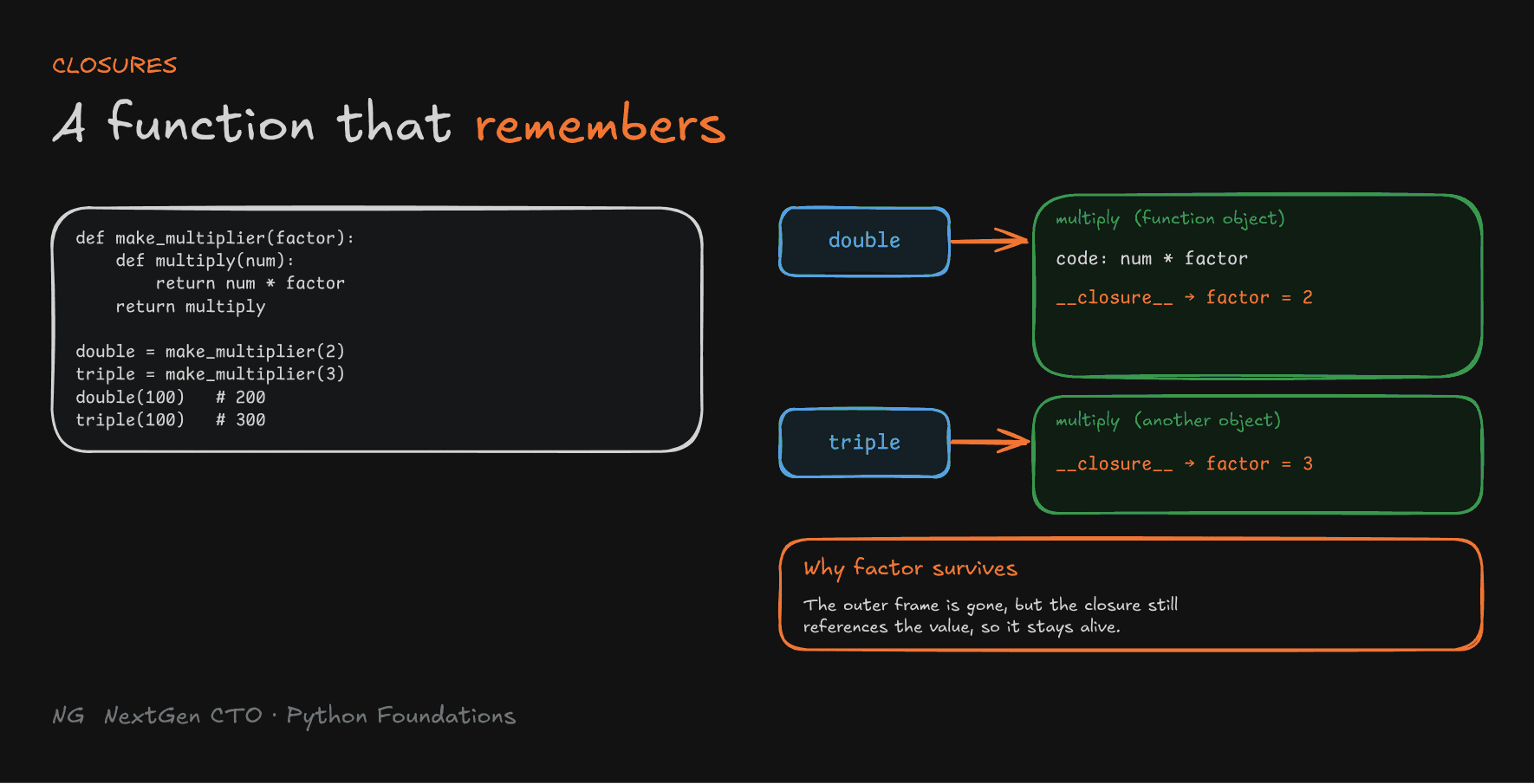
A closure is an inner function that remembers variables from its enclosing scope, even after the outer function has finished.
def make_multiplier(factor):
    def multiply(num):
        return num * factor
    return multiply           # return the function itself, not a result

double = make_multiplier(2)
triple = make_multiplier(3)

print(double(100))   # 200
print(triple(100))   # 300
But make_multiplier() had already returned. Its stack frame, and the local factor, should be gone. So how does double still know that factor is 2?
What happens in memory:
make_multiplier(2)runs in its own stack frame, withfactor → 2.- Python creates the
multiplyfunction object. It notices the body usesfactor, which comes from the enclosing scope. - So it stores a reference to that value in the function object's
__closure__attribute, a tuple of cells. multiplyis returned anddoublepoints to it. The frame ofmake_multiplieris removed, but the2survives, because the closure still references it.double(100)runs:numis local (100), andfactorcomes from the closure (2). The result is200.
print(double.__closure__[0].cell_contents) # 2Every call to the outer function creates an independent closure. double remembers 2, and triple remembers 3.

Why Closures Are Useful
They let you configure a function once and reuse it without passing the same argument every time:
def create_logger(log_type):
    def log_message(message):
        print(f"[{log_type}] {message}")
    return log_message

info_logger = create_logger("INFO")
error_logger = create_logger("ERROR")

info_logger("Server is healthy")         # [INFO] Server is healthy
error_logger("Connection is failing")    # [ERROR] Connection is failing
Changing an Enclosing Variable with nonlocal
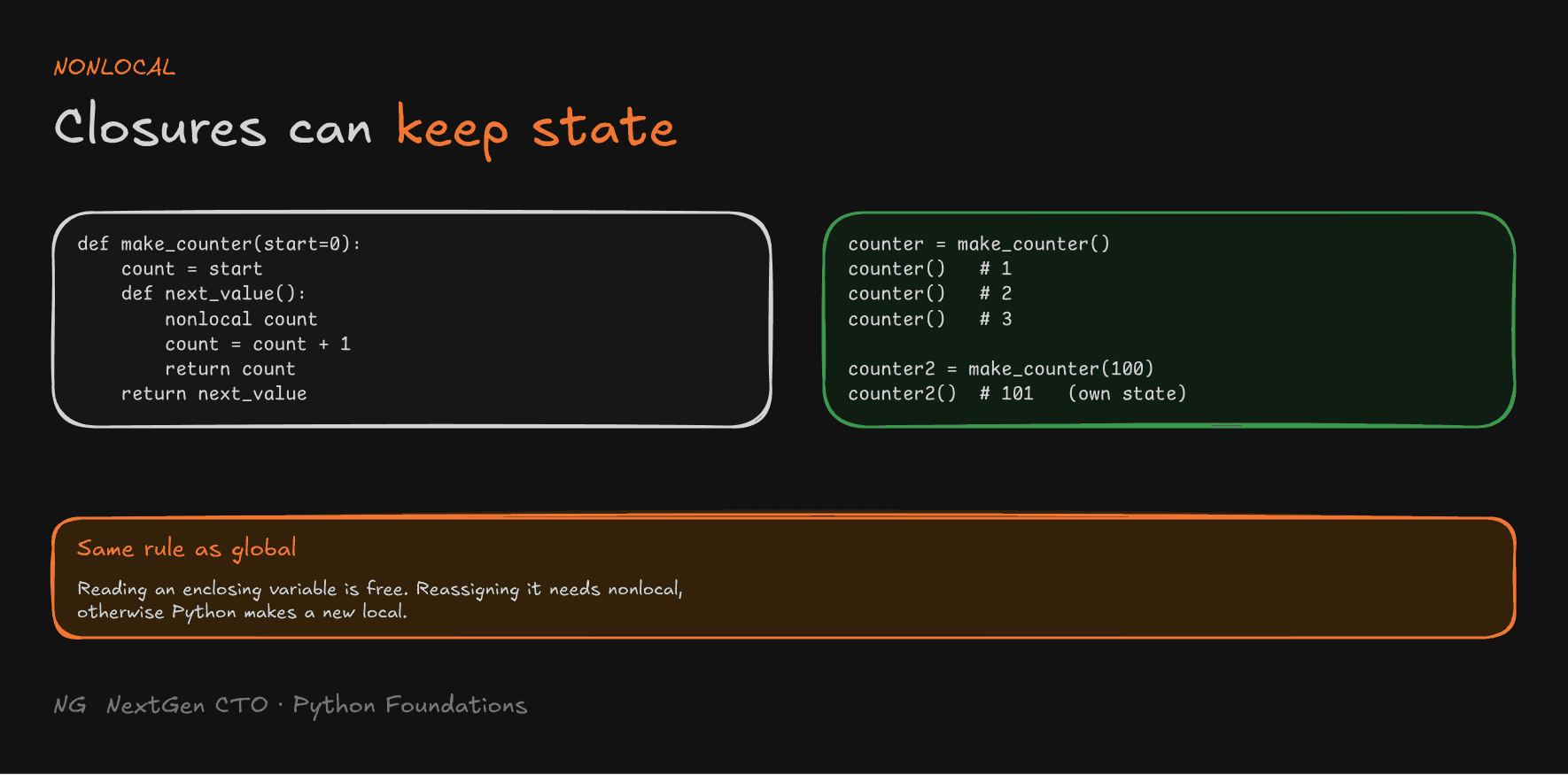
An inner function can read enclosing variables. But assigning to one creates a new local variable, just like with globals. To reassign the enclosing variable, use nonlocal:
def make_counter(start=0):
    count = start

    def next_value():
        nonlocal count
        count = count + 1
        return count

    return next_value

counter = make_counter()
print(counter(), counter(), counter())   # 1 2 3

counter2 = make_counter(100)
print(counter2(), counter2())            # 101 102
Each closure keeps its own state between calls. Doing this without closures would need a global variable or a class.

Key Takeaways
- Scope is where a name is visible, and lifetime is how long it lives. Local names disappear with their stack frame, but objects survive while something still references them.
- Python resolves names with LEGB: Local → Enclosing → Global → Built-in. If none match, you get a
NameError. - Assigning inside a function creates a local variable. Use
globalornonlocalto reassign outer ones, and prefer arguments and return values. - Never shadow built-ins like
strorlist. - Default arguments make parameters optional, and required parameters come first. Keyword arguments pass by name in any order, and positional arguments come before keyword arguments.
- Defaults are evaluated once, at definition time. Use
Noneinstead of a mutable default like[]or{}. - Functions are first-class objects. An inner function can read its enclosing scope.
- A closure keeps enclosing variables alive in
__closure__after the outer function returns. Each call to the outer function creates an independent closure.
The main principle: names are labels, calls are frames, and a closure is just a function holding on to the objects it needs.
Up next → Part 6.5: Lambda Functions