
Python Fundamentals Series · Part 5 of 12
Python #4: Python Type Conversion, Casting & User I/P Explained in Depth | Complete Python Course
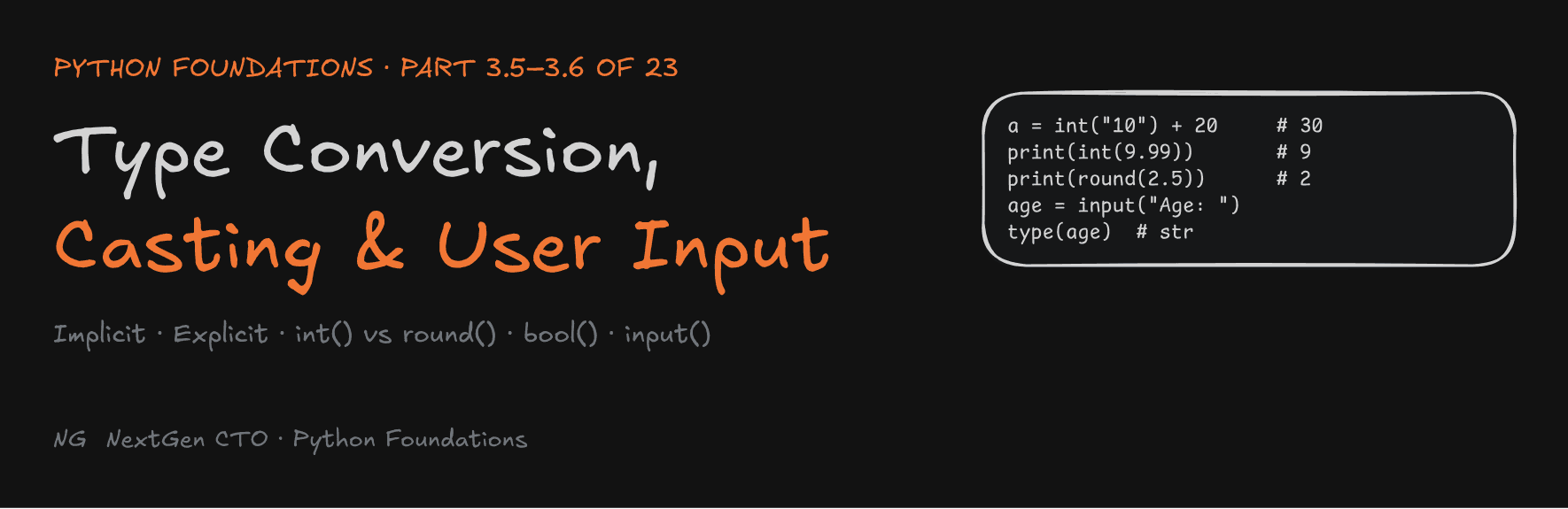
Python Foundations · Part 3.5–3.6 of 23
Type Conversion, Casting and User Input
Why "10" + 20 crashes, why int(9.99) is 9, why round(2.5) is 2, and how to build your first interactive program.

"If the basics are good, everything becomes easy." Every complex system stands on a foundation. Build yours properly.
This part finishes Section 3. You'll learn how Python changes data from one type to another, when it does that for you and when you must do it yourself, and how to take input from a user. It ends with a small assignment written exactly to a spec, the way it's done in companies.
Part 3.5 — Type Conversion and Casting
What Is Type Conversion?
Type conversion means changing data from one type to another. Converting the int 32 to a float gives 32.0.
Python doesn't automatically convert every data type. It converts only when the result is obvious and safe. Type conversion exists so operations can happen between compatible types.
There are two kinds:
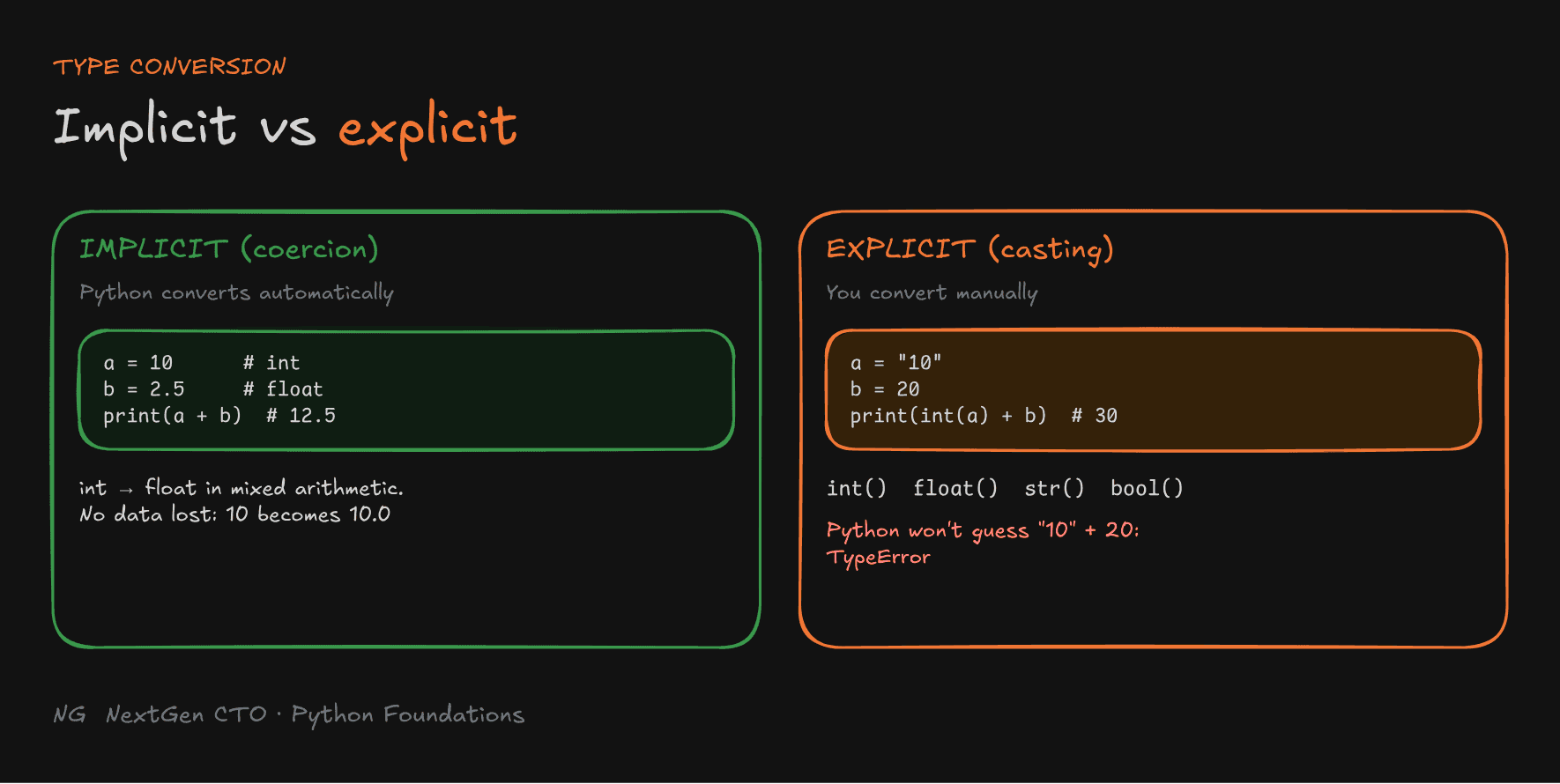
- Implicit conversion: Python converts automatically.
- Explicit conversion (casting): you, the programmer, convert manually.

Implicit Type Conversion (Coercion)
Python converts automatically between compatible types, most often int and float during mixed arithmetic. It converts the int to a float:
a = 10
b = 2.5

result = a + b
print(result)         # 12.5
print(type(result))   # <class 'float'>
Why int → float and not float → int? Converting 10 to 10.0 loses nothing. Converting 2.5 to 2 would throw away the .5. Python always picks the direction that preserves the fractional value.
But Python won't guess when the intent is unclear:
print("10" + 20)
# TypeError: can only concatenate str (not "int") to str
Did you want "1020" or 30? Python doesn't know, so it refuses. That's where you step in.
Why Do We Need Conversion at All?
int and float are stored completely differently in memory. A float uses the IEEE 754 format you saw in Part 3.2.
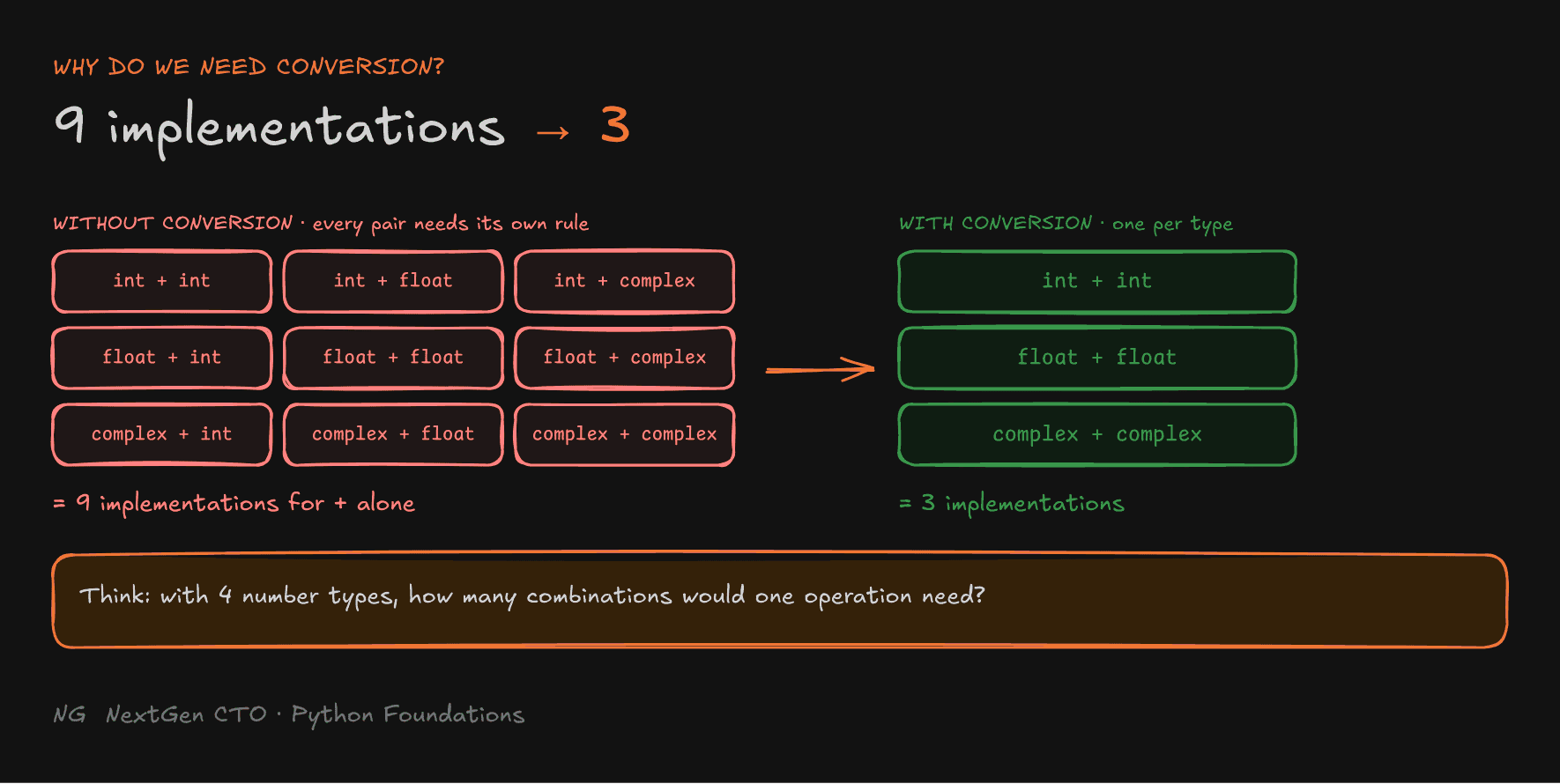
Without conversion rules, the system would need a separate implementation for every combination of types, for every operation. With just int, float and complex, addition alone needs 9 combinations: int + int, int + float, int + complex, float + int, and so on.
Convert both operands to a common type first, and the system only needs one implementation per type: float + float, int + int, complex + complex. That's 3 instead of 9.
Think about it: with 4 number types, how many combinations would one operation need without conversion?

Explicit Type Conversion (Casting)
Casting is conversion you perform yourself, using Python's built-in functions: int(), float(), str() and bool(). You use it when you know what you want, and you accept any data loss that comes with it. It's especially useful for user input and when mixing types.
a = "10"
b = 20

print(int(a) + b)   # 30
Converting to Strings: str()
str() converts a value into its text representation. It's the fix for combining numbers with text:
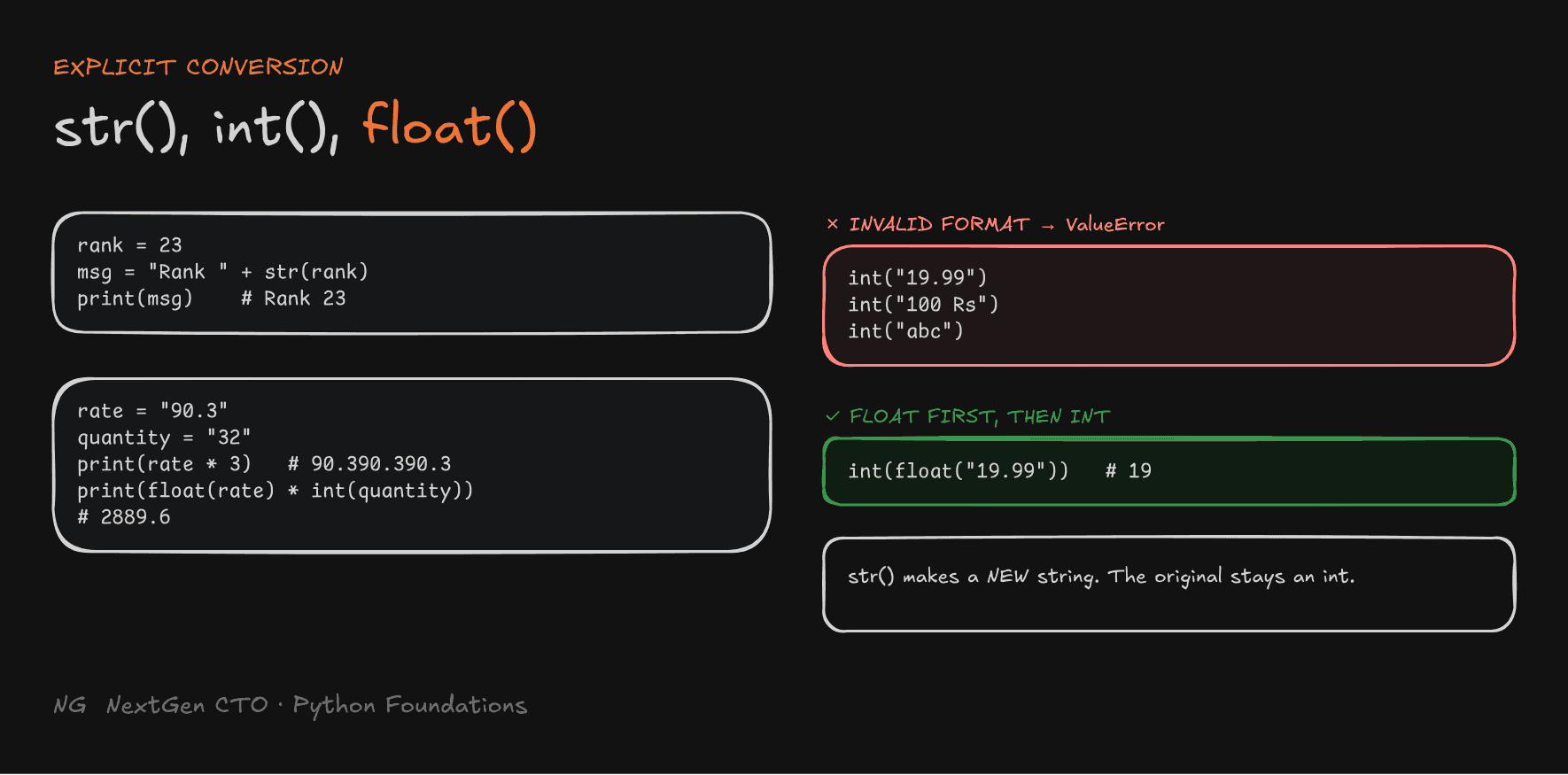
rank_of_channel = 23

message = "I am studying with a channel of rank " + str(rank_of_channel)
print(message)
# I am studying with a channel of rank 23
str() creates a new string. It doesn't change the original variable: rank_of_channel is still an int.
Tip: an f-string (
f"... rank {rank_of_channel}") does the conversion for you and is usually cleaner.
Converting to Numbers: int() and float()
int()converts valid values into integers.float()converts valid values into floating-point numbers.
rate = "90.3"
quantity = "32"

print(rate * 3)                       # 90.390.390.3  (string repeated!)
total = float(rate) * int(quantity)
print(total)                          # 2889.6
The string must be in a valid format for the target type. Otherwise you get a ValueError:
int("19.99")
# ValueError: invalid literal for int() with base 10: '19.99'

int(float("19.99"))   # 19  ← convert to float first, then to int
Float to Integer: int() vs round()
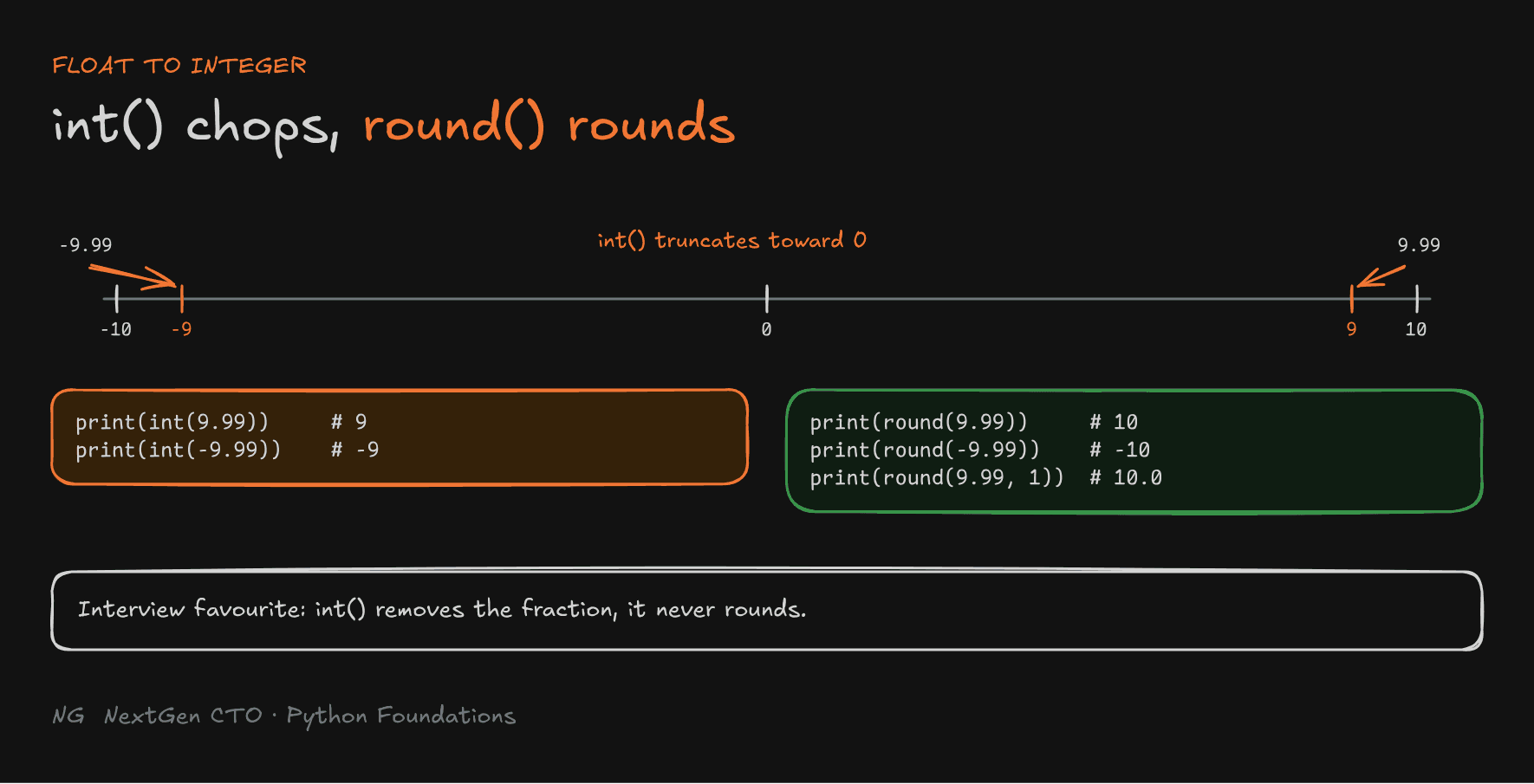
int() doesn't round. It removes the fractional part. Truncation always happens toward zero:
print(int(9.99))     # 9
print(int(-9.99))    # -9

print(round(9.99))   # 10
print(round(-9.99))  # -10
print(round(9.99, 1))  # 10.0
round(number, digits) rounds to the nearest value. Interviewers love asking about this difference, so remember it: int() chops, round() rounds.

Banker's Rounding
What should round(3.5) be? It's exactly halfway between 3 and 4.
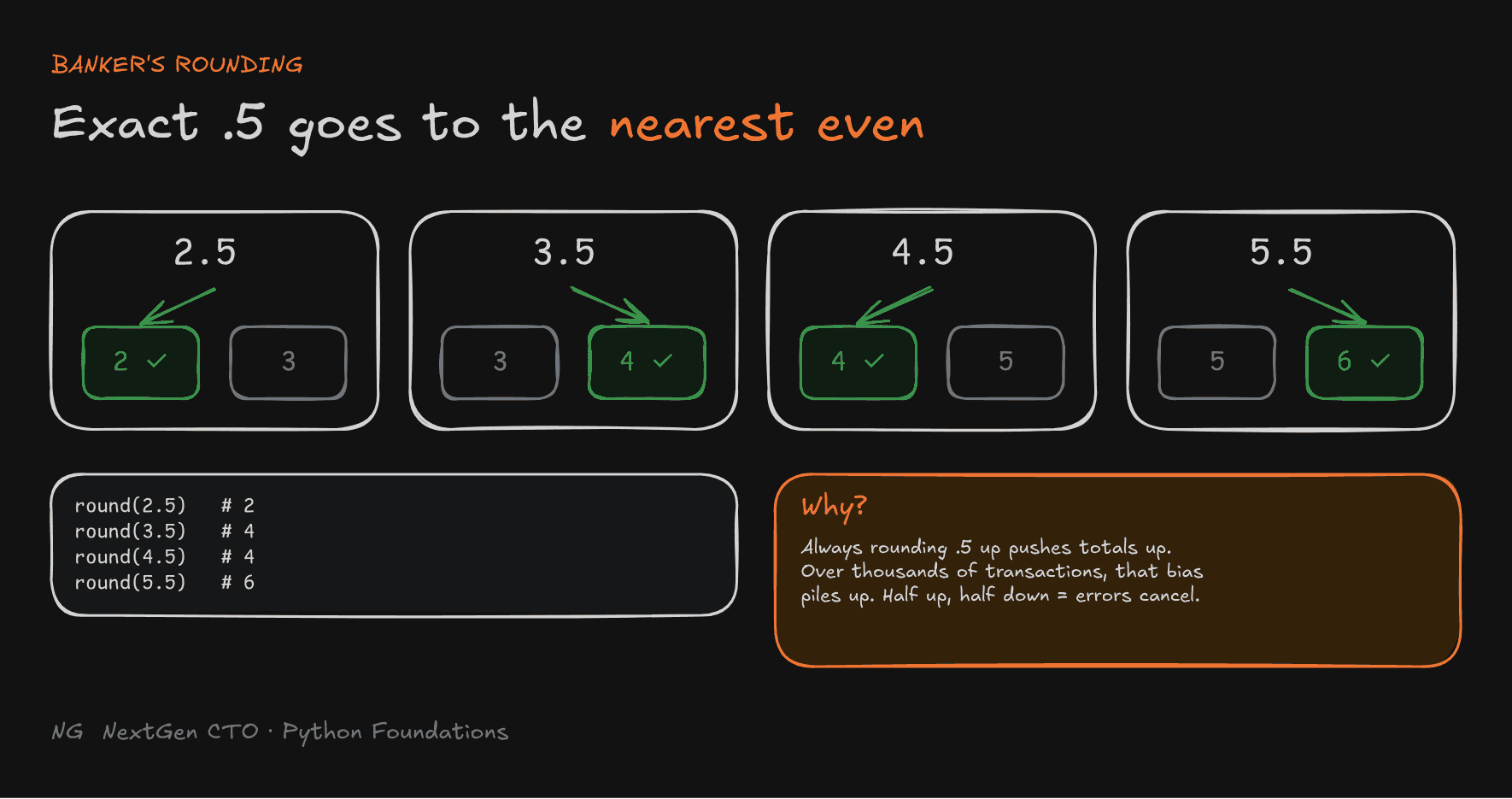
Python uses round half to even, also called banker's rounding: an exact .5 goes to the nearest even integer.
print(round(2.5))   # 2
print(round(3.5))   # 4
print(round(4.5))   # 4
print(round(5.5))   # 6
Why? If every .5 always rounded up, each rounding would push the total up by a little. Across thousands of transactions (bank withdrawals, UPI payments, interest calculations) that small upward push piles up into a real error. Rounding half to even sends half the .5 cases up and half down, so the errors cancel out, reducing bias across many calculations.
Watch out:
round(2.675, 2)gives2.67, not2.68. That's not banker's rounding. It's the float precision problem again:2.675is actually stored as2.67499999….

Boolean Conversion: bool()
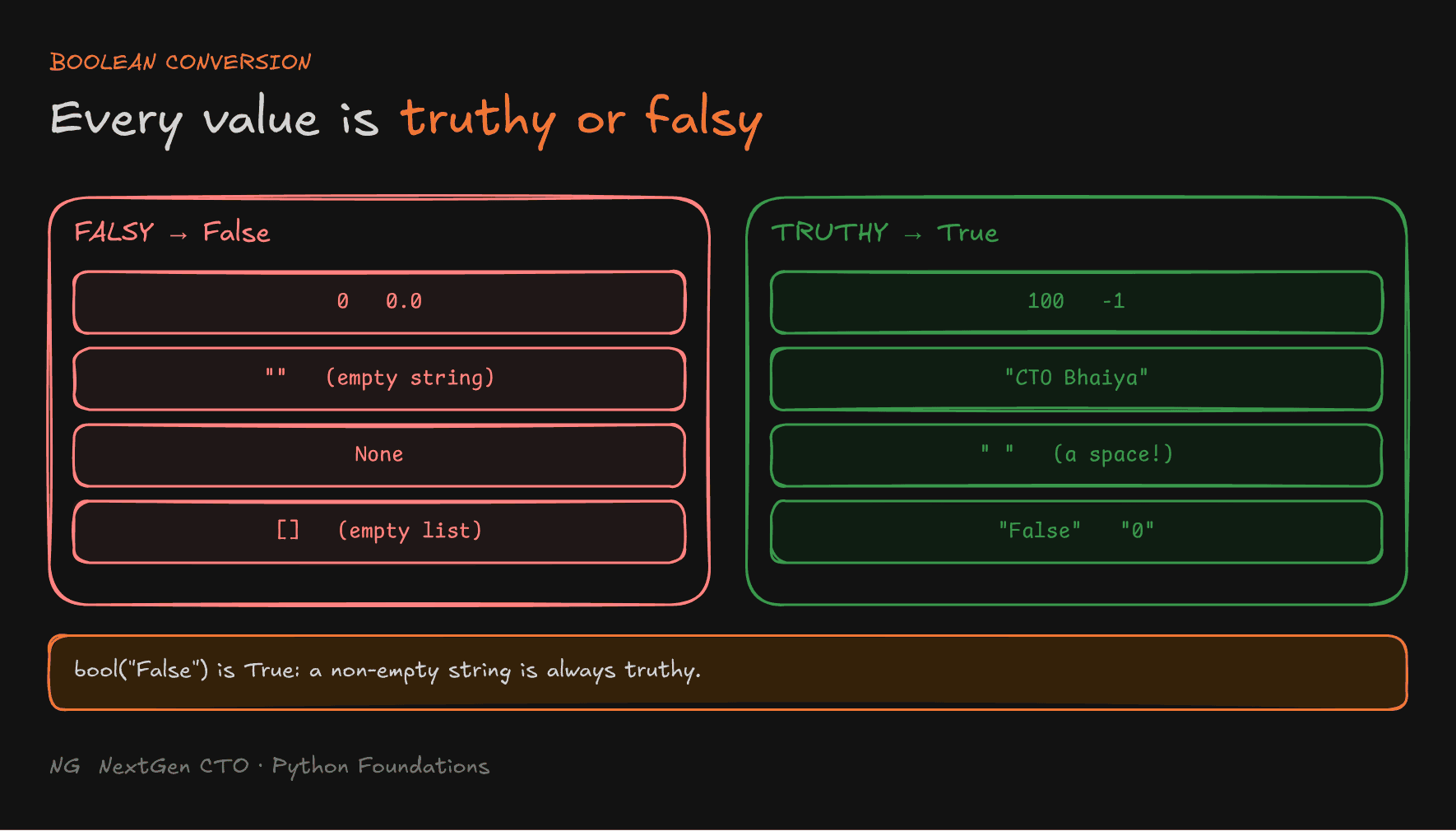
Every Python value has a truth value. bool() converts a value to True or False.
print(bool(0))              # False
print(bool(-1))             # True
print(bool(""))             # False
print(bool(" "))            # True  (a space is still a character)
print(bool("CTO Bhaiya"))   # True
Common Mistakes
1. Converting invalid text to a number. int() can't convert strings with invalid characters:
price = "100 Rs"
int(price)   # ValueError
2. Confusing "False" with False. A non-empty string is always truthy. bool() doesn't read the meaning of the text:
print(bool("False"))   # True
print(bool("0"))       # True
3. Mixing strings and numbers. Convert first, then combine: str(number) to join with text, or int() / float() to do maths.
Part 3.6 — User Input
Capturing User Input with input()
So far, every value was hard-coded, like age = 30. input() lets the user type it in the terminal instead.
input()pauses the program until the user presses Enter.- You can pass a prompt: a message shown before the user types.
input()always returns a string, even if the user types a number.- Store the returned value in a variable.
name = input("Enter your name: ")
age = input("Enter your age: ")

print(f"My name is {name} and my age is {age}")
print(type(age))   # <class 'str'>, even if you typed 30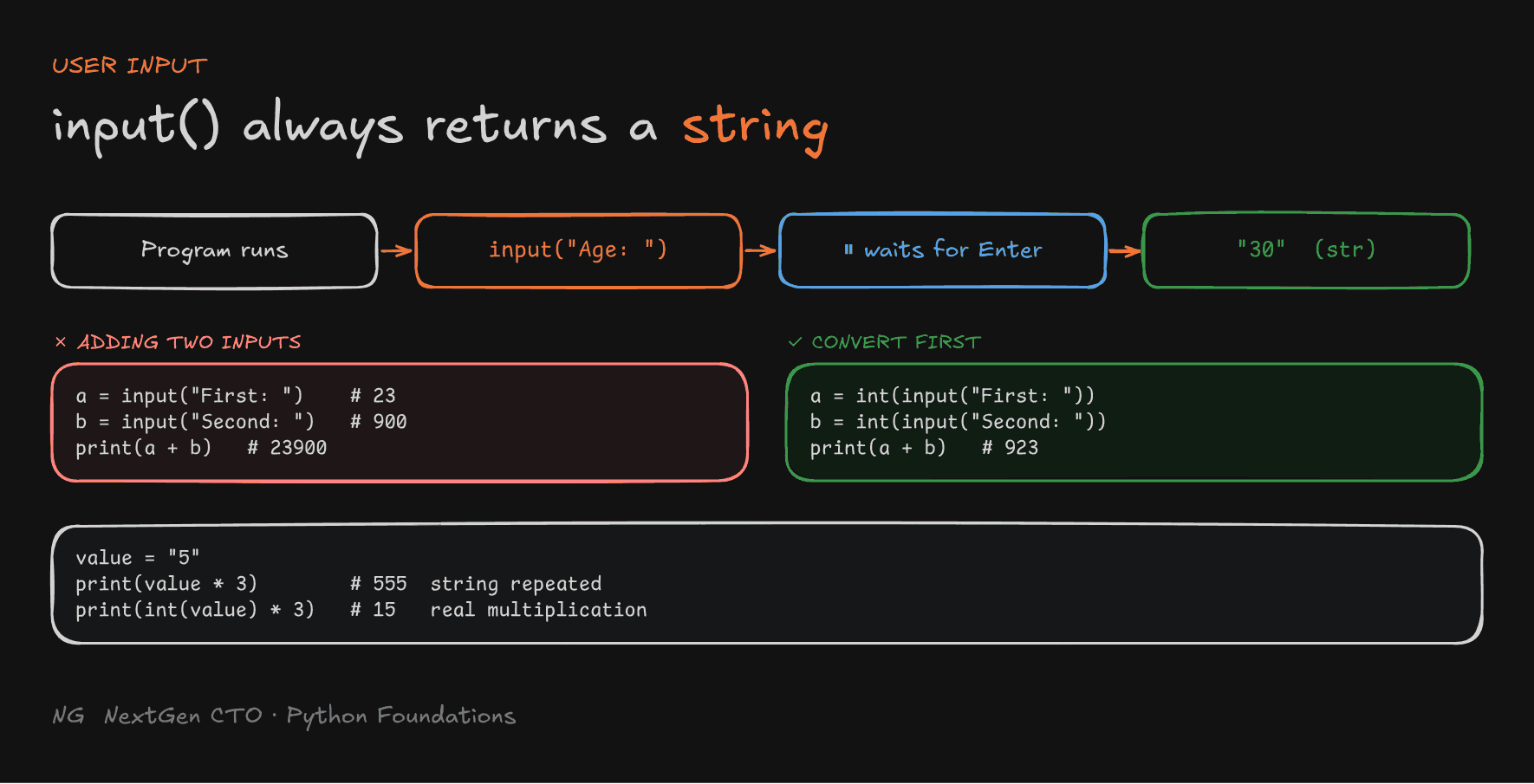
Handling Numeric Input
Because input() returns text, adding two inputs joins them instead of adding them:
a = input("Enter first number: ")    # 23
b = input("Enter second number: ")   # 900
print(a + b)                          # 23900  ← concatenated!

a = int(a)
b = int(b)
print(a + b) # 923- Use
int()to convert input to an integer, andfloat()for a decimal number. - Invalid numeric input raises a
ValueError.
Direct conversion is shorter. Wrap input() straight in int():
a = int(input("Enter first number: "))
b = int(input("Enter second number: "))
print(a + b)
Tip: if the program is waiting for input and you want to quit, press Ctrl + C.

String Repetition vs Multiplication
A very common bug:
value = "5"
print(value * 3)        # 555  (the string, repeated 3 times)

value = int("5")
print(value * 3)        # 15   (real multiplication)
* on a string repeats it. If a number came from input(), convert it first.
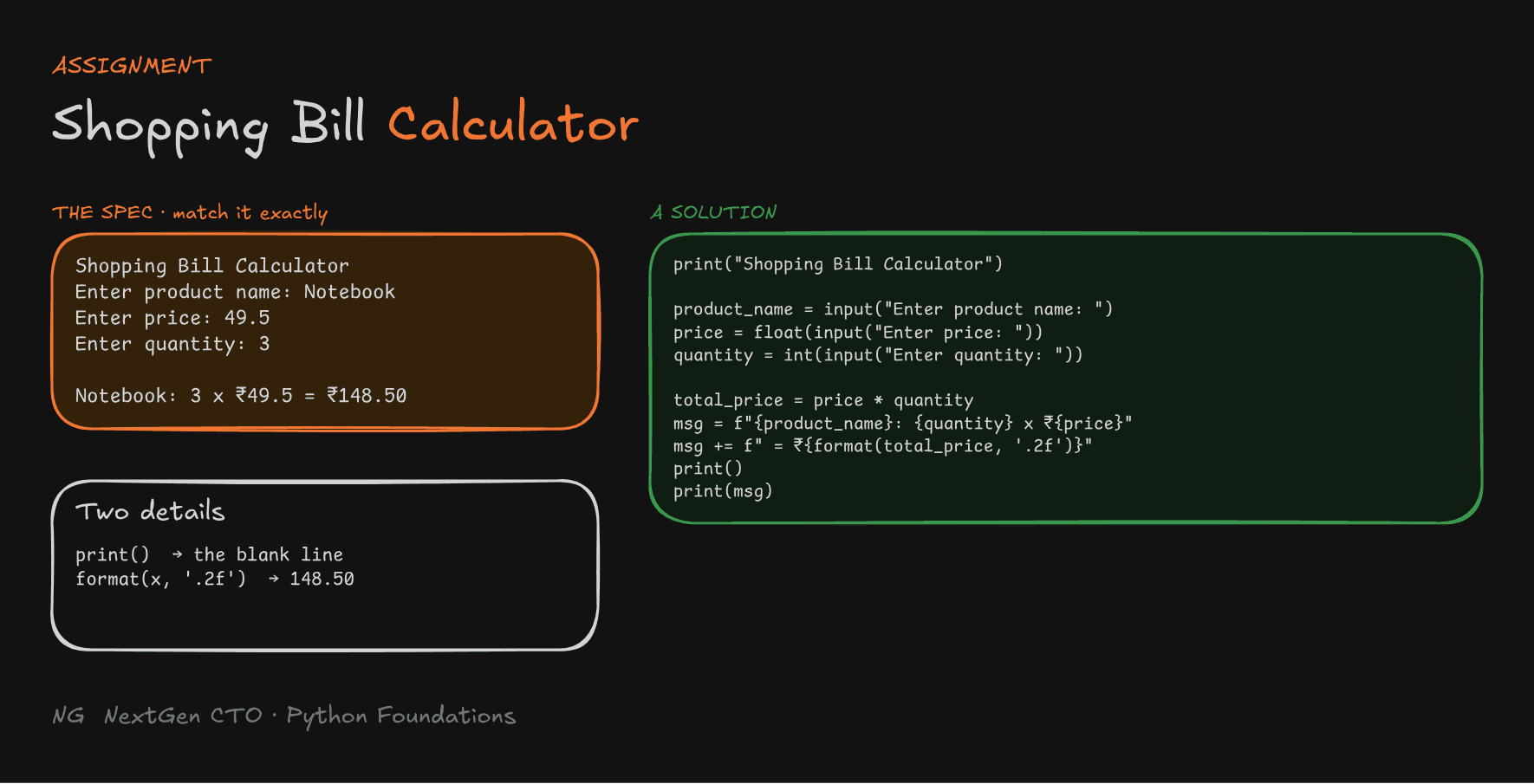
Assignment: Shopping Bill Calculator
In companies, you're usually given a spec: the exact output expected. Your job is to match it exactly, including every space and blank line.
The spec:
Shopping Bill Calculator
Enter product name: Notebook
Enter price: 49.5
Enter quantity: 3

Notebook: 3 x ₹49.5 = ₹148.50
A solution:
print("Shopping Bill Calculator")

product_name = input("Enter product name: ")
price = float(input("Enter price: "))
quantity = int(input("Enter quantity: "))

total_price = price * quantity

message = f"{product_name}: {quantity} x ₹{price} = ₹{format(total_price, '.2f')}"
print()
print(message)
Two details make it match the spec:
print()with nothing inside prints the blank line before the result.format(total_price, '.2f')forces 2 decimal places, so the total shows148.50, not148.5.
Write it yourself first, then compare. Then try breaking it: what happens if you enter abc as the price?

Key Takeaways
- Implicit conversion: Python converts automatically, mainly
int → floatin mixed arithmetic, so no data is lost. - Explicit conversion (casting): you convert manually with
int(),float(),str()andbool(). - Conversion means the system needs one implementation per type, not one per combination of types.
int()truncates toward zero.round()rounds, using banker's rounding for exact.5values.- Empty and zero values are falsy. Almost everything else is truthy, including
"False". input()always returns a string. Convert it before doing maths.- Match specs exactly: spaces, blank lines and decimal places all count.
The main principle: never assume a type. Know it, or convert it.
Up next → Section 4: Control Flow