
Python Fundamentals Series · Part 8 of 12
Python #7: Lists, Indexing, Slicing & List Methods Explained | From Basics to Advanced Concepts
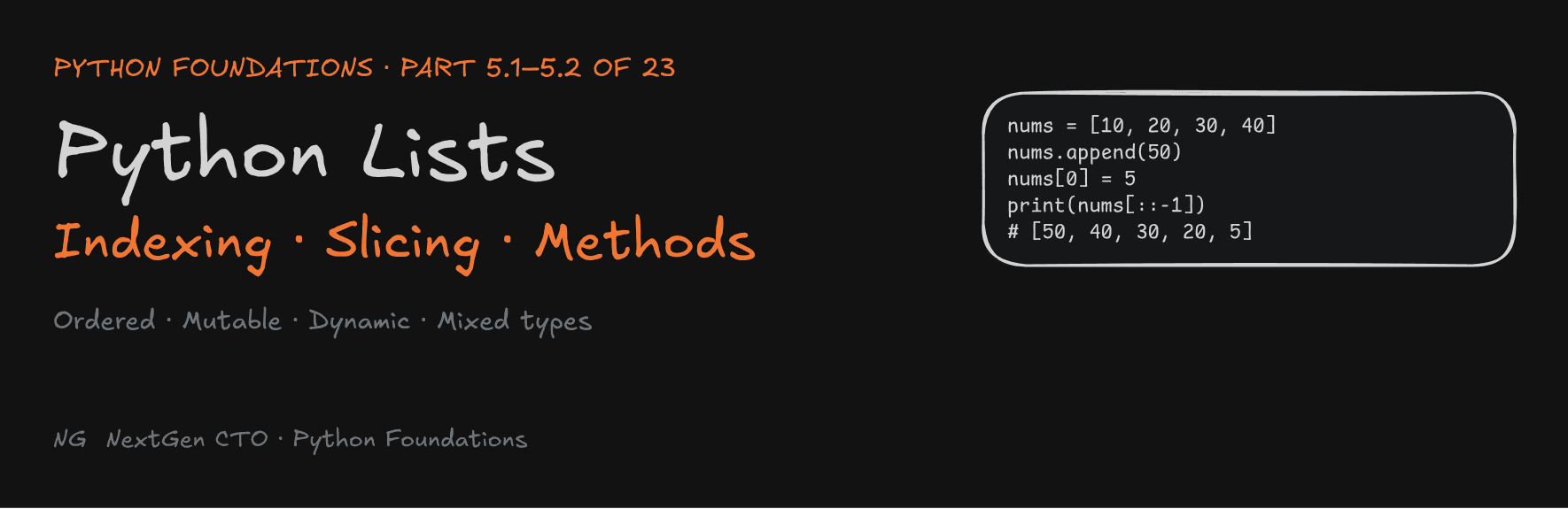
Python Foundations · Part 5.1–5.2 of 23
Lists: Indexing, Slicing and List Methods
What a Python list really is in memory, how to slice it in any direction, and the methods you'll use in almost every DSA problem.

Section 5 is about Python's core data structures: lists, tuples, dictionaries and sets. Learn these well and you have everything you need to solve DSA problems in Python. This part covers the most-used one, the list: how it works (5.1) and its methods (5.2).
Part 5.1 — Lists and Indexing
What Is a List?
A list stores multiple values in a single variable. Think of a drawer of CDs: each CD sits in a fixed position, in order.
- Ordered: elements keep their position.
- Allows duplicates: the same value can appear more than once.
- Mutable: you can change elements after creating the list (strings couldn't do this).
- Dynamic: the list can grow and shrink.
- Mixed types: one list can hold different data types.
How a List Lives in Memory
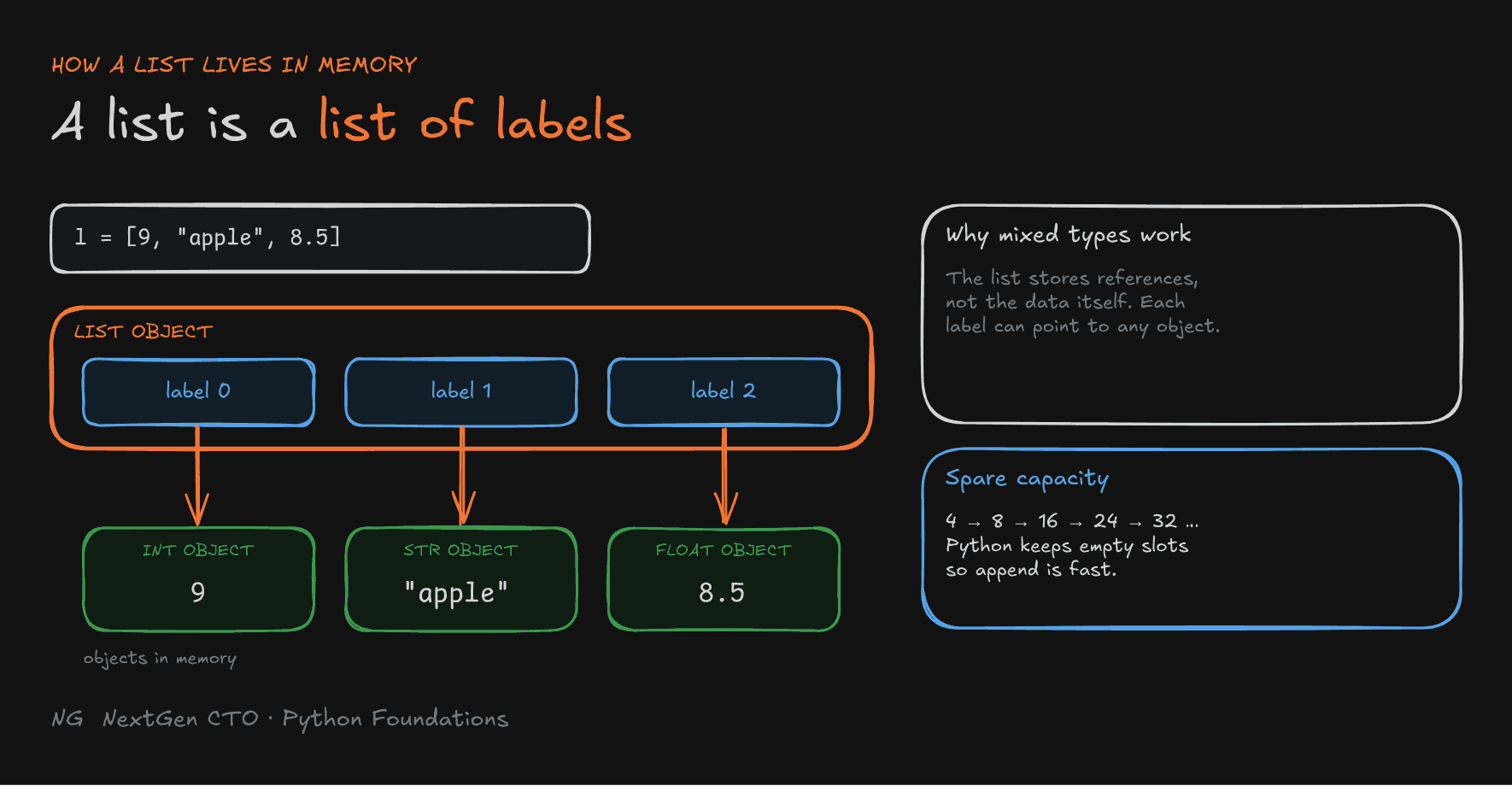
Remember: in Python, a variable is a label pointing to an object. A list follows the same idea: a list is a sequence of labels.
l = [9, "apple", 8.5]Python creates three separate objects in memory (an int, a str and a float), and the list holds three labels pointing to them. Because the list stores references, not the data itself, it can mix types freely.

Why Lists Can Grow: Spare Capacity
When you add an element, Python doesn't resize the list by exactly one slot each time. That would mean copying everything on every append. Instead, it allocates extra empty slots in advance, so most appends just fill a slot that's already there. Only when the spare slots run out does it allocate a bigger block.
Note: you may hear that lists "double" when they grow. Some languages do that, but CPython grows more gently. Watching
sys.getsizeof()as you append shows capacity going 4 → 8 → 16 → 24 → 32 → 40. The idea is the same: over-allocate soappendis fast on average. You'll see why in the time and space complexity course.
Creating Lists
Use square brackets [], with elements separated by commas:
numbers = [10, 20, 30, 40]
mixed = ["Anuj", 25, True, 6.5]
empty = []

print(type(numbers))   # <class 'list'>
An empty list is falsy: bool([]) is False.
Accessing Elements by Index
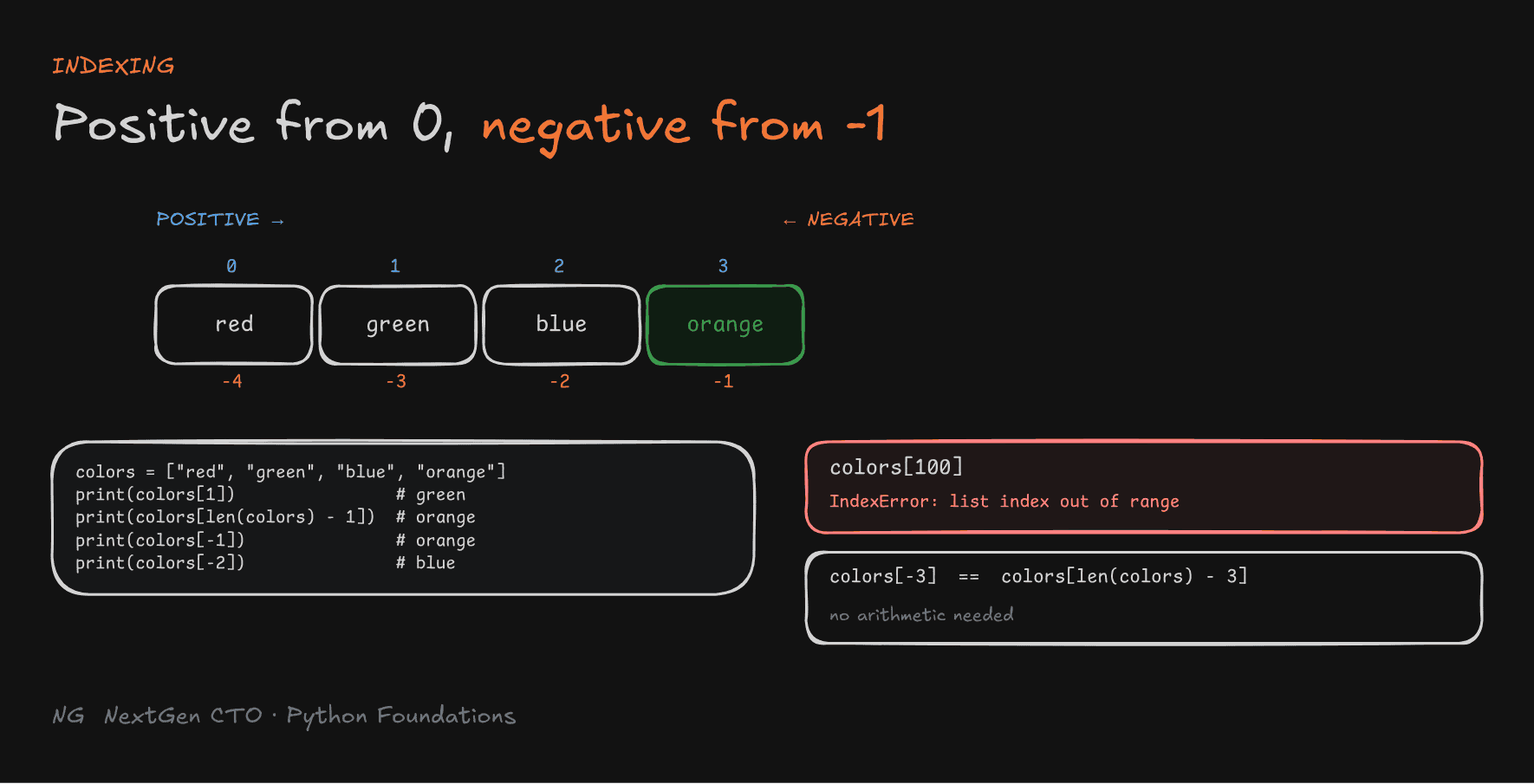
Every element has a position called an index. Python uses zero-based indexing:
- the first element is at index
0 - the last element is at index
len(list) - 1
colors = ["red", "green", "blue", "orange"]

print(colors[1])                 # green
print(colors[len(colors) - 1])   # orange
print(colors[100])               # IndexError: list index out of range
Negative Indexing
Negative indexes count from the end: -1 is the last element, -2 the second-to-last, and so on.
 Index:    0       1       2       3
         red   green    blue  orange
 Neg:     -4      -3      -2      -1
print(colors[-1])    # orange
print(colors[-2])    # blue
colors[-3] is the same as colors[len(colors) - 3], without the arithmetic.

Slicing Lists
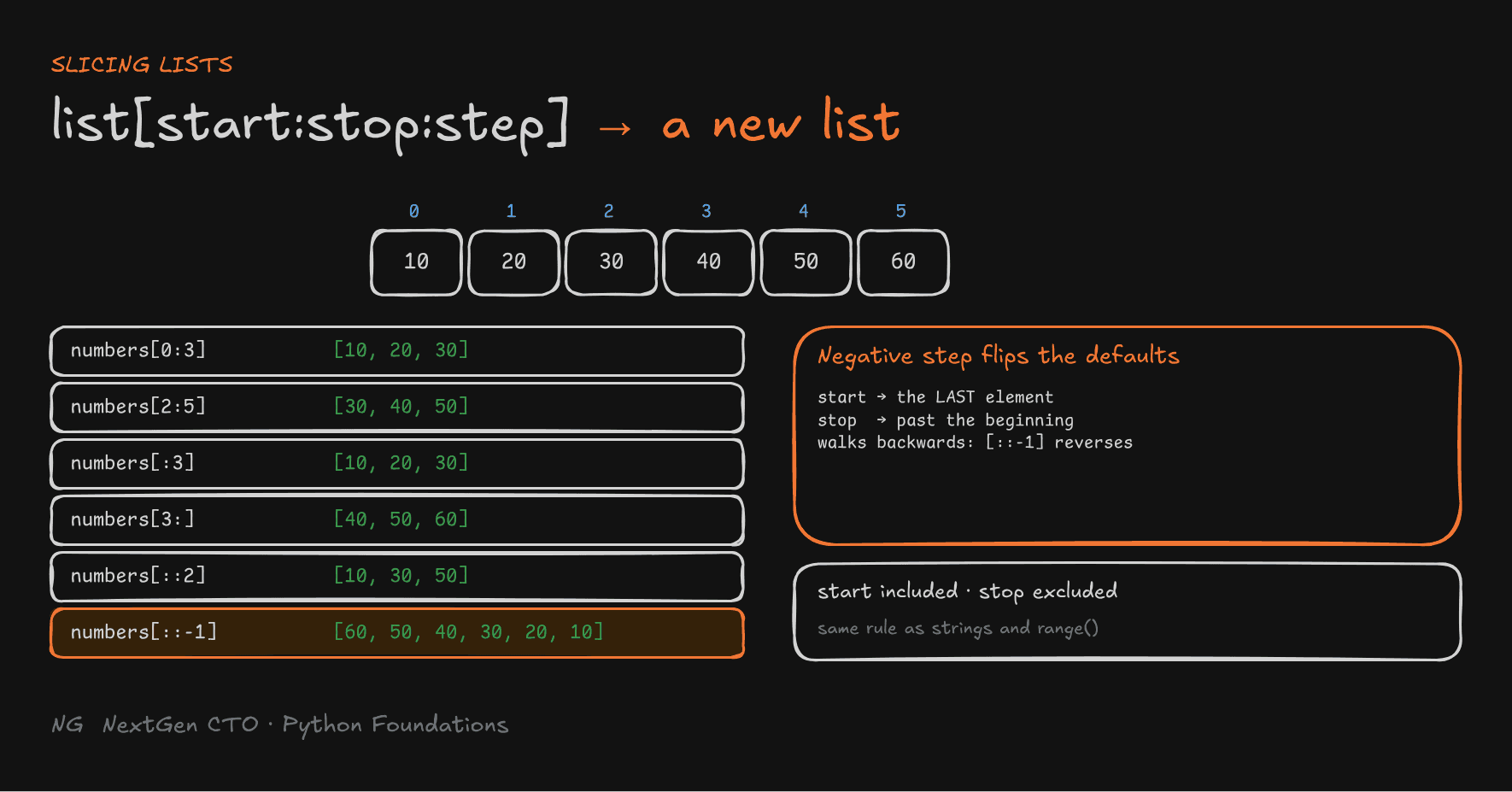
Slicing extracts a portion of a list, with the same syntax as strings:
list[start:stop:step]
startis included,stopis excluded, andstepcontrols the jump (default1).- Slicing creates a new list.
numbers = [10, 20, 30, 40, 50, 60]

print(numbers[0:3])    # [10, 20, 30]
print(numbers[2:5])    # [30, 40, 50]
print(numbers[:3])     # [10, 20, 30]   start omitted → from the beginning
print(numbers[3:])     # [40, 50, 60]   stop omitted → to the end
print(numbers[::2])    # [10, 30, 50]   every 2nd element
print(numbers[::-1])   # [60, 50, 40, 30, 20, 10]   reversed!
How [::-1] works: with a negative step, the defaults flip. start defaults to the last element and stop to the beginning, and the slice walks backwards. This is the same rule as range(): positive step means start < stop, and negative step means start > stop.

Modifying Lists (Mutability)
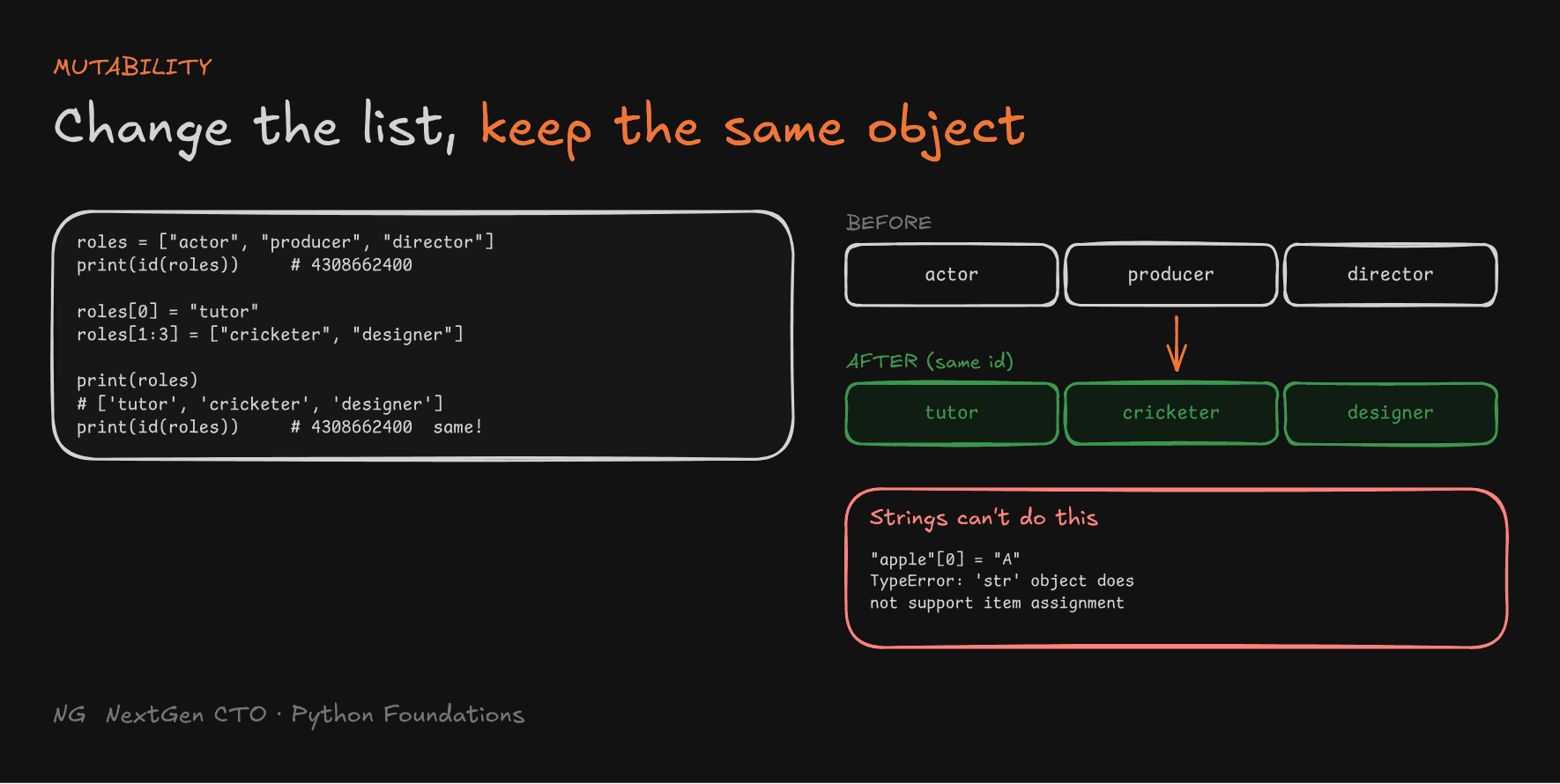
Unlike strings, lists can be changed in place:
roles = ["actor", "producer", "director"]
print(id(roles))

roles[0] = "tutor"                          # replace one element
roles[1:3] = ["cricketer", "designer"]      # slice assignment: replace several

print(roles)       # ['tutor', 'cricketer', 'designer']
print(id(roles)) # same id as before- Elements can be changed using their index.
- Multiple elements can be replaced with slice assignment.
- Modifying a list doesn't change its identity.
id()proves it's the same list object.
Compare with a string: "apple"[0] = "A" raises TypeError: 'str' object does not support item assignment.

Part 5.2 — List Methods
Adding Items: append() and insert()
append(value) adds one element at the end. The length grows by 1.
numbers = [10, 20, 30, 40, 50]
numbers.append(60)
print(numbers)   # [10, 20, 30, 40, 50, 60]
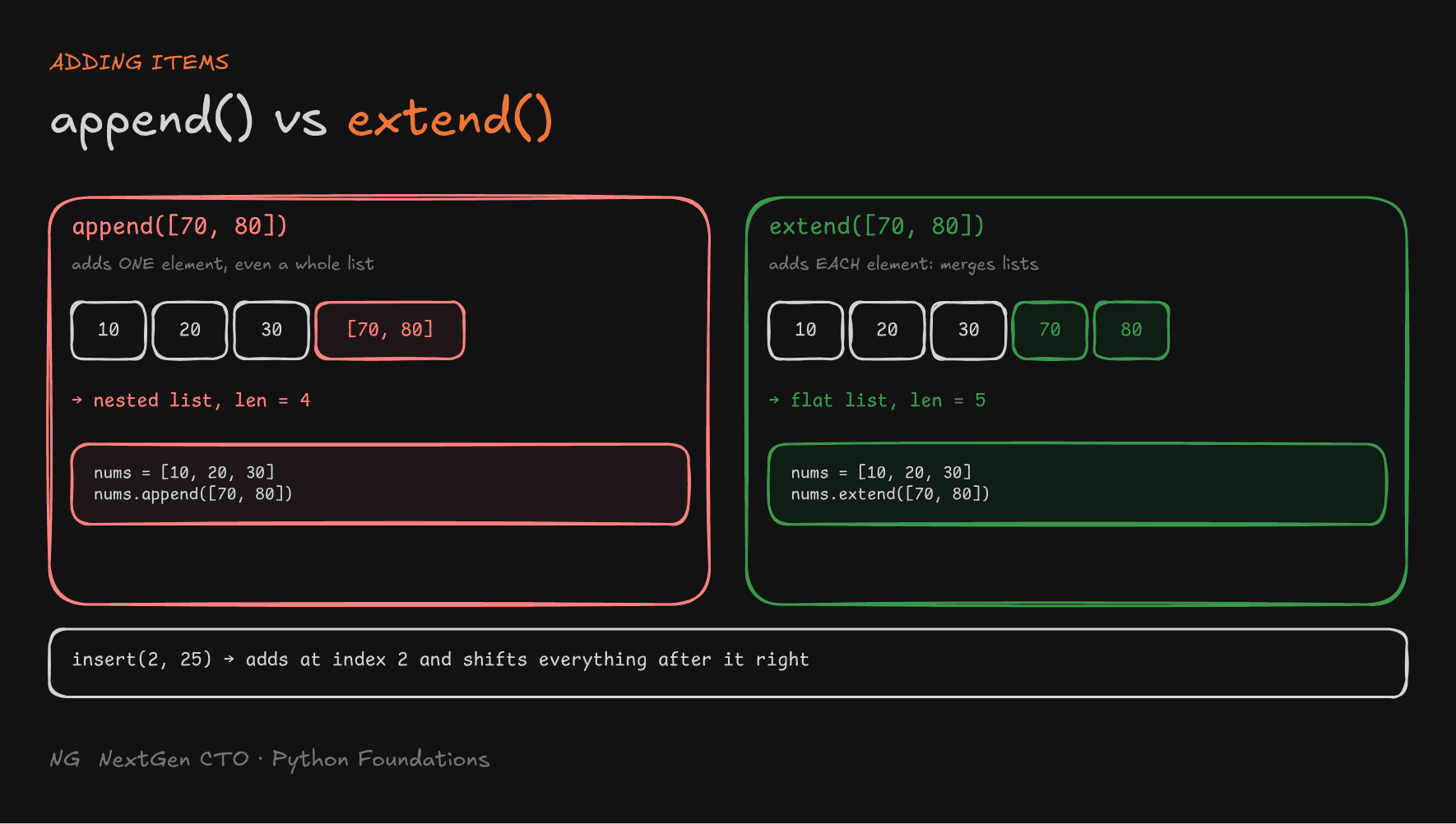
insert(index, value) adds an element at a given index. Everything from that position shifts right.
numbers = [10, 20, 30, 40]
numbers.insert(2, 25)
print(numbers)   # [10, 20, 25, 30, 40]
Appending a List vs Merging Lists: append() vs extend()
This is a classic trap. append() adds whatever you give it as one single element, even a whole list:
numbers = [10, 20, 30, 40, 50, 60]
numbers.append([70, 80])
print(numbers)        # [10, 20, 30, 40, 50, 60, [70, 80]]  ← a nested list!
print(len(numbers))   # 7, not 8
To merge another list's items in, use extend(). It adds each element of an iterable to the end, and modifies the original list:
numbers = [1, 2, 3]
numbers.extend([4, 5, 6])
print(numbers)        # [1, 2, 3, 4, 5, 6]
Removing Items: remove(), pop(), clear()
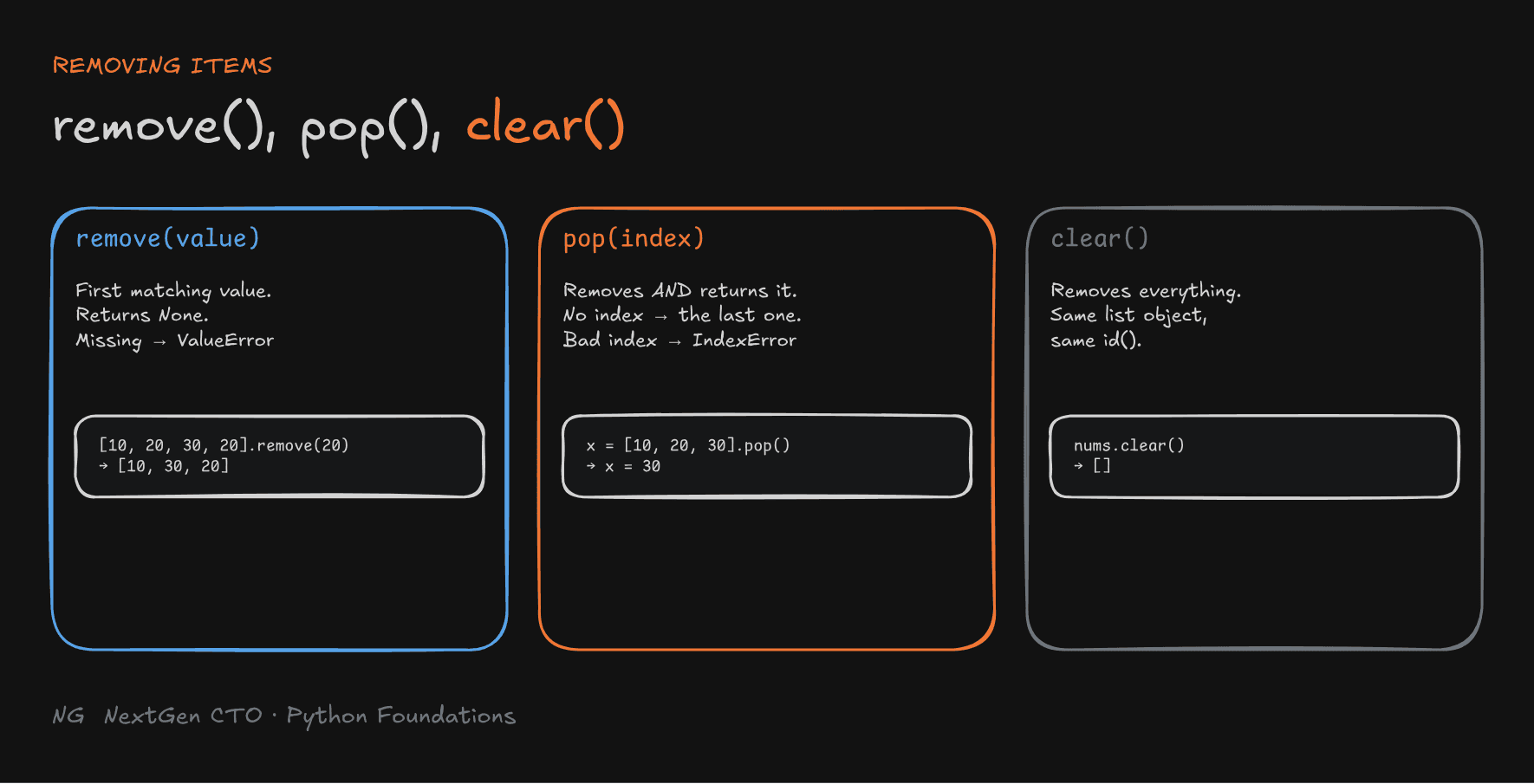
remove(value) removes the first matching element. It raises ValueError if the value isn't there.
numbers = [10, 20, 30, 40, 20]
numbers.remove(20)
print(numbers)        # [10, 30, 40, 20]   only the first 20 is removed

numbers.remove(99)    # ValueError: list.remove(x): x not in list
remove() returns None. It doesn't hand back the value.
pop(index) removes the element at an index and returns it. With no index, it removes and returns the last element, just like taking the top plate off a stack.
numbers = [10, 20, 30, 40, 50]

x = numbers.pop(2)
print(x, numbers)     # 30 [10, 20, 40, 50]

y = numbers.pop()
print(y, numbers)     # 50 [10, 20, 40]

numbers.pop(19)       # IndexError: pop index out of range
clear() removes all elements, leaving an empty list. It's still the same list object, with the same id().

Organizing Data: sort(), reverse(), sorted()
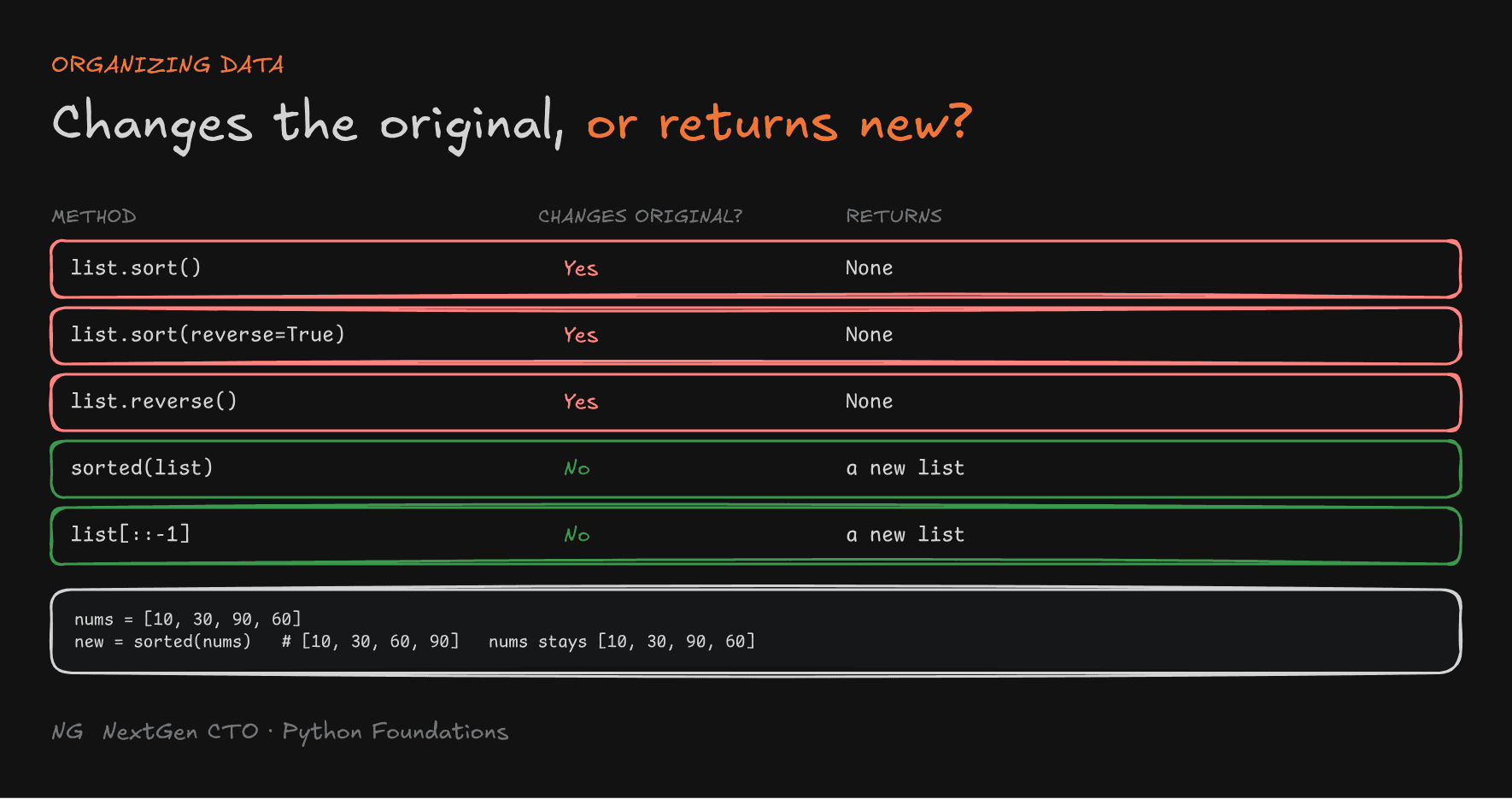
sort() sorts in ascending order, and sort(reverse=True) in descending order. Both change the original list.
numbers = [10, 30, 90, 60, 20, 15]
numbers.sort()
print(numbers)                # [10, 15, 20, 30, 60, 90]

numbers.sort(reverse=True)
print(numbers)                # [90, 60, 30, 20, 15, 10]
reverse() reverses the current order in place. It doesn't sort.
numbers = [10, 30, 90, 60, 20, 15]
numbers.reverse()
print(numbers)                # [15, 20, 60, 90, 30, 10]
Need a sorted copy and want to keep the original? Use the built-in sorted(), which returns a new list:
numbers = [10, 30, 90, 60]
result = sorted(numbers)
print(result)     # [10, 30, 60, 90]
print(numbers)    # [10, 30, 90, 60]   unchanged
Locating Data: index() and count()
numbers = [10, 20, 30, 20]

print(numbers.index(20))    # 1   index of the FIRST match
print(numbers.count(20))    # 2   how many times it appears
print(numbers.count(35))    # 0   missing value → 0

numbers.index(301)          # ValueError: 301 is not in list
index() raises an error for a missing value, while count() simply returns 0.
Tip: you don't need to memorise every method. Remember the common ones, and read the docs (
help(list)) for the rest.
Key Takeaways
- A list is ordered, mutable, dynamic, allows duplicates and mixed types.
- Under the hood, a list is a sequence of labels pointing to objects. Python keeps spare capacity, so appends are fast.
- Indexes start at
0, the last islen(list) - 1, and negative indexes count from the end. A bad index raisesIndexError. - Slicing
[start:stop:step]returns a new list, and[::-1]reverses. - Changing elements or using slice assignment keeps the same list object (same
id). append()adds one element, even a whole list.extend()merges each element.remove()deletes the first match.pop()deletes by index and returns it.clear()empties the list.sort()andreverse()change the original.sorted()returns a new list.index()finds the first match (or raisesValueError), andcount()counts occurrences.
The main principle: a list is just a row of labels. Picture that, and every method makes sense.
Up next → Part 5.3: Tuples