
Python Fundamentals Series · Part 12 of 12
Python #11: Lambda Functions, Type Hints & Docstrings Explained | Python for Beginners
Python Foundations · Part 6.5–6.6 of 23
Lambda Functions, Type Hints and Docstrings
One-line functions for sorting and filtering, and the two habits that make your functions readable to everyone else on the team.

Section 6 ends here. After the heavy memory-model work on closures in the last part, this one is lighter but very practical: lambda functions (6.5), and type hints and docstrings (6.6). These are what separate code that merely runs from code a team can read and maintain.
Part 6.5 — Lambda Functions
What Is a Lambda?
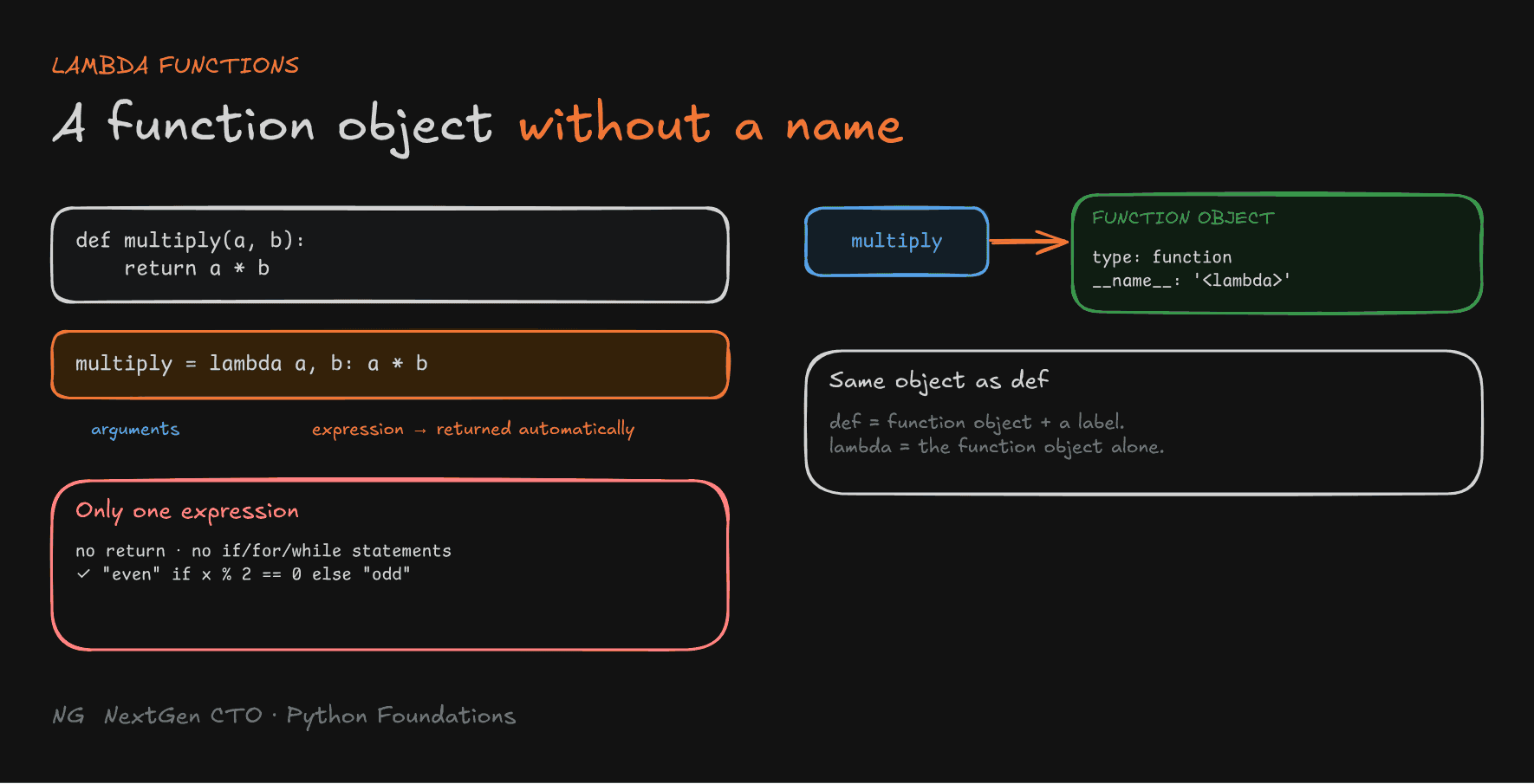
A lambda is a small function without a name.
def multiply(a, b):
    return a * b

multiply_lambda = lambda a, b: a * b

print(multiply(4, 5))          # 20
print(multiply_lambda(5, 6)) # 30- Created with the
lambdakeyword. - Can accept multiple arguments, separated by commas.
- Contains exactly one expression, and its result is returned automatically: no
returnkeyword. - Useful for short, one-time operations.
A Lambda Is Just a Function Object
Remember what def does: it creates a function object and a label (the function's name) pointing to it. A lambda creates the same kind of function object, just without a label.
double = lambda x: x * 2
print(double(10))       # 20
print(type(double))     # <class 'function'>
print(double.__name__)  # <lambda>
Here double = ... gives it a label, but usually you don't even do that. You pass the lambda directly as an argument, because functions are first-class objects.
How a Lambda Evaluates
lambda x : x * 2
       │     │
   arguments  expression → its value is returned
When you call double(5), x becomes 5, the expression x * 2 is evaluated, and 10 is returned immediately.

Where Lambdas Shine: Sorting with key
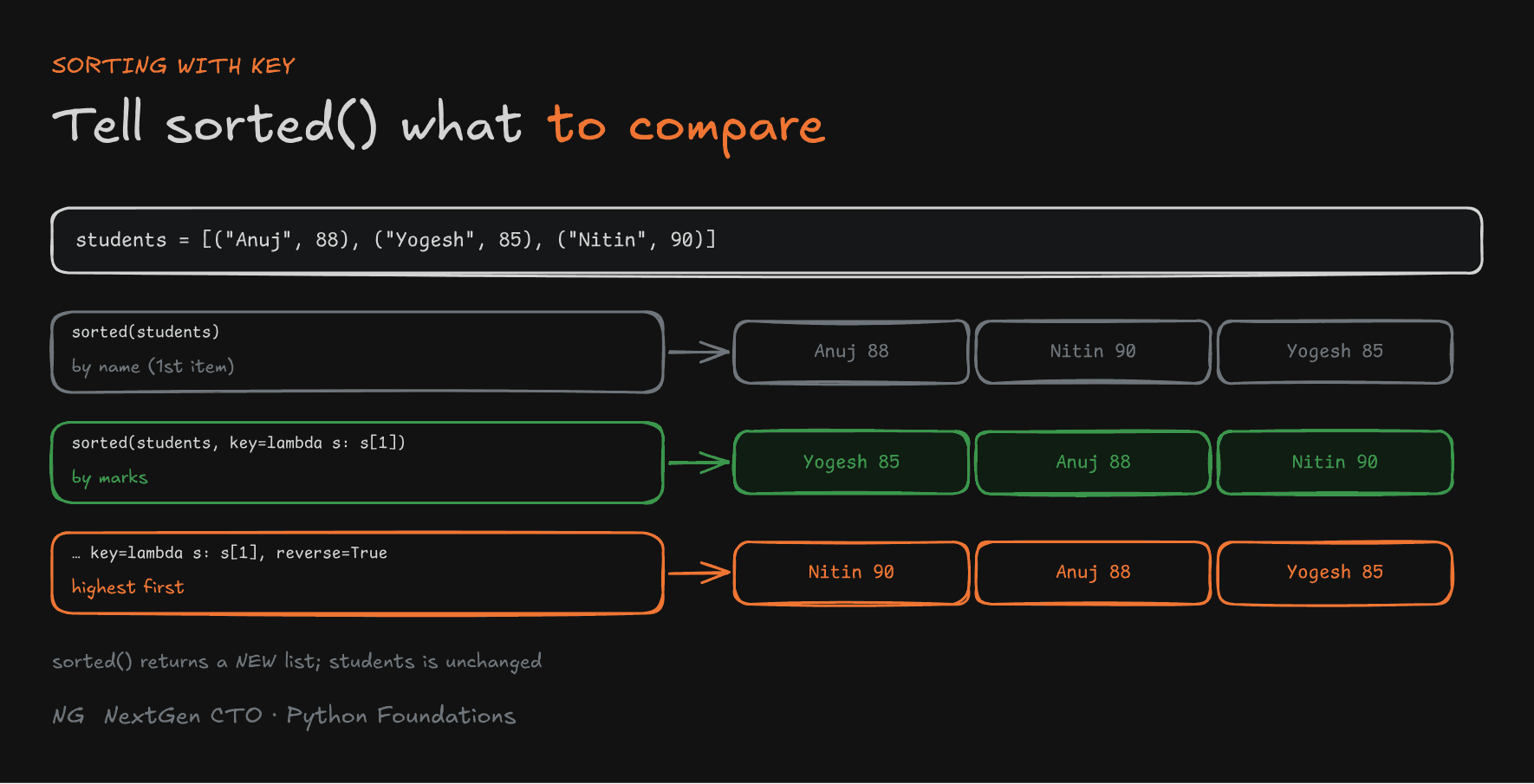
sorted() sorts a list of tuples by their first element by default:
students = [("Anuj", 88), ("Yogesh", 85), ("Nitin", 90)]

print(sorted(students))
# [('Anuj', 88), ('Nitin', 90), ('Yogesh', 85)]   by name
To sort by marks instead, pass a key: a function that tells sorted() what value to compare for each item.
print(sorted(students, key=lambda s: s[1]))
# [('Yogesh', 85), ('Anuj', 88), ('Nitin', 90)]   by marks

print(sorted(students, key=lambda s: s[1], reverse=True))
# [('Nitin', 90), ('Anuj', 88), ('Yogesh', 85)]   highest first
For each tuple s, sorted() calls the lambda and compares s[1], the marks. sorted() returns a new list, so students is unchanged.

Filtering Data with filter()
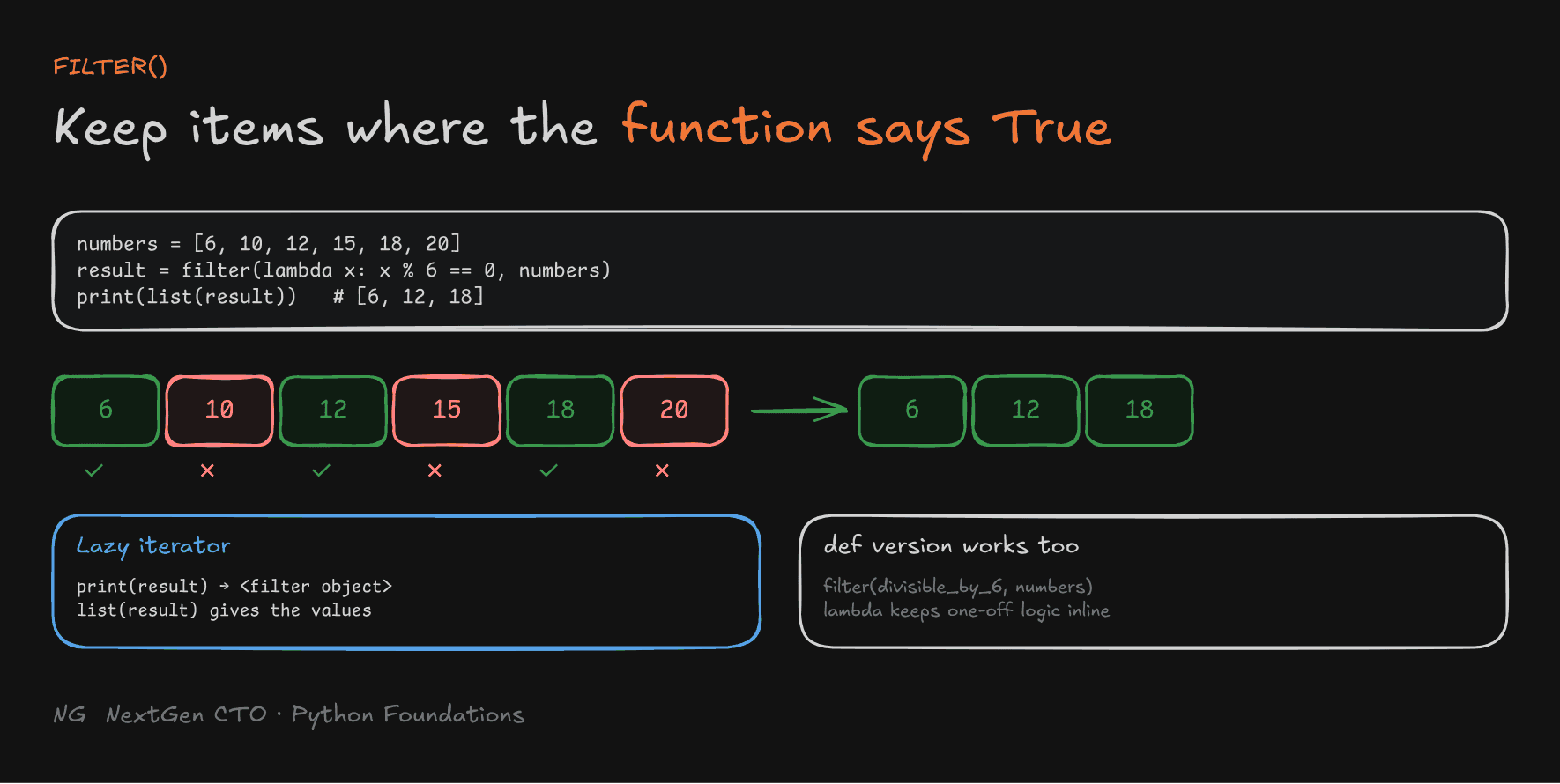
filter(function, iterable) keeps only the items for which the function returns True.
numbers = [6, 10, 12, 15, 18, 20]

result = filter(lambda x: x % 6 == 0, numbers)
print(result)          # <filter object at 0x...>
print(list(result)) # [6, 12, 18]- The function must return
TrueorFalse: keep or drop. filter()returns a lazy iterator. It doesn't build the result immediately, only when you ask for it. Wrap it inlist()to get all values. (You'll study lazy iterators in depth later in the course.)
Compare that with the def version:
def divisible_by_6(x):
    return x % 6 == 0

result = filter(divisible_by_6, numbers)
For a one-off condition, the lambda keeps the logic right where it's used.

Limitations of Lambdas
- Only one expression.
- No
returnstatement: the expression's value is returned automatically. - No
if,fororwhilestatements. A conditional expression is allowed, though:
even_odd = lambda x: "even" if x % 2 == 0 else "odd"
print(even_odd(4))     # even
(Conditional expressions are covered in detail in Section 7.)
- Function calls inside the expression are fine.
- Complex logic belongs in a
def. A long, nested one-line lambda is hard to read and very hard to debug.
Rule of thumb: if it fits comfortably in one short line and you'll use it once, write a lambda. Otherwise, write a named function.
Part 6.6 — Type Hints and Docstrings
Why They Matter
Look at this function:
def add(a, b):
    return a + b

print(add(10, 5))       # 15
print(add("10", "5"))   # 105   (strings are joined!)
What should a and b be? Integers? Strings? What does it return? The function name alone doesn't tell you. In a big codebase, you'd have to hunt through every place it's called to find out.
Two tools fix this:
- Type hints say what types are expected and returned.
- Docstrings explain what the function does.
Together they make functions easier to understand, use and maintain.
Dynamic Typing: Flexible, but Unclear
Python is dynamically typed: types are decided at runtime, from the objects a variable points to. You never have to declare types. That flexibility is convenient, but it means a function's signature (its name, parameters and their types) doesn't show what's expected.
Adding Type Hints
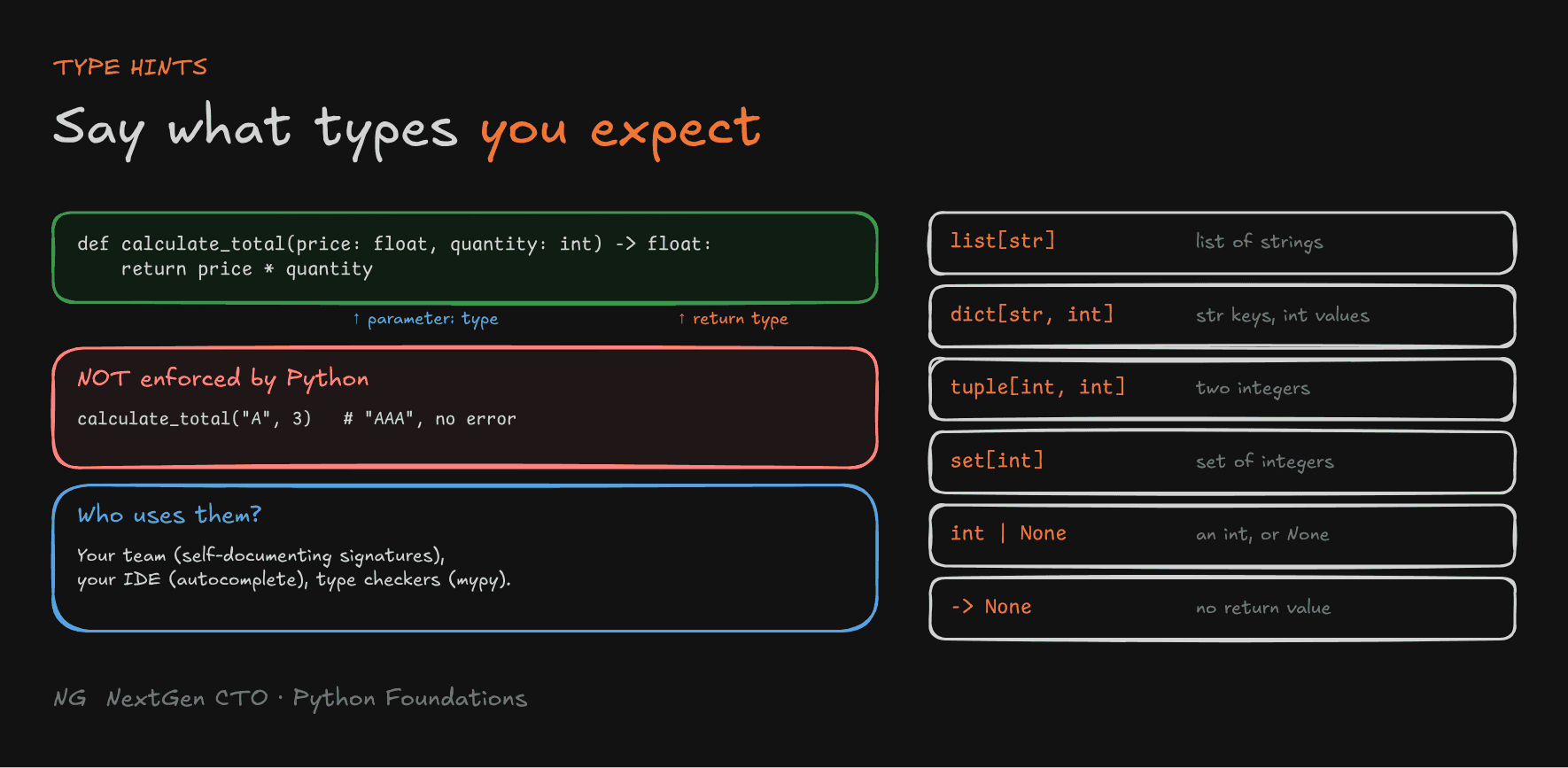
def calculate_total(price: float, quantity: int) -> float:
return price * quantity- Parameter hint:
name: type. - Return hint:
-> type, before the colon.
Python does not enforce type hints. This still runs:
print(calculate_total("A", 3)) # AAA: no error from PythonSo who uses them?
- You and your team: the signature now documents itself.
- Your editor (IDE): VS Code knows
priceis afloat, so it can warn you about mistakes and show autocomplete. Typename.aftername: strand it lists every string method. - Type checkers (like mypy): they catch possible type errors before you run the code.

Type Hints for Collections
You can also say what's inside a collection:
def print_students(students: list[str]) -> None:
    for s in students:
        print(s.upper())     # the editor knows s is a str
Multiple Possible Types: |
Sometimes a value can have more than one type. A search might return an index or nothing:
def find_student(students: list[str], name: str) -> int | None:
    if name in students:
        return students.index(name)
    return None

print(find_student(["Anuj", "Yogesh"], "Yogesh"))   # 1
print(find_student(["Anuj", "Yogesh"], "Nitin"))    # None
int | None means "an integer, or None". It's very common for optional values and search results. (The | syntax needs Python 3.10 or newer.)
Docstrings
A docstring explains what a function does. It's written in triple quotes, immediately after the def line:
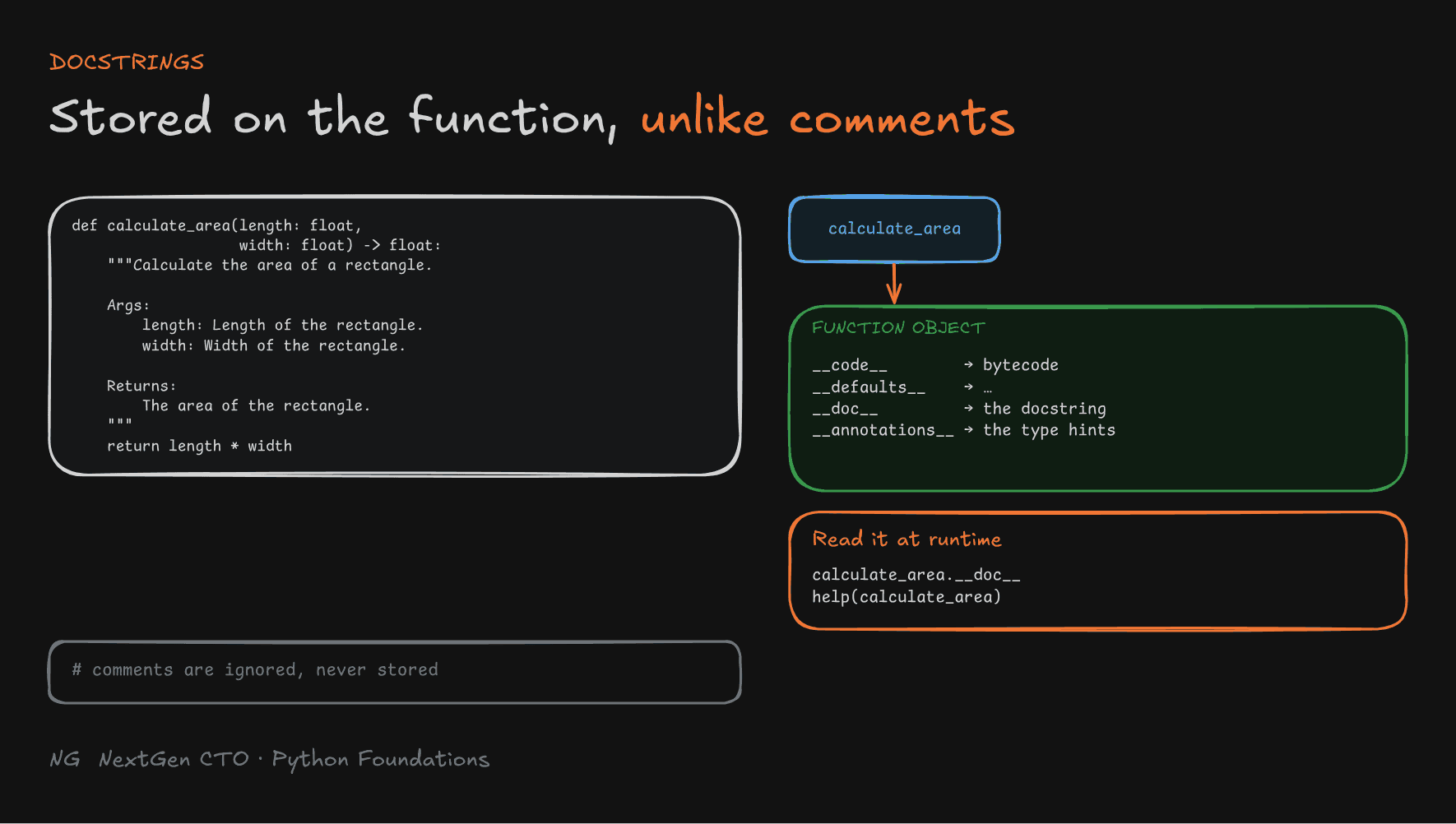
def calculate_area(length: float, width: float) -> float:
    """Calculate the area of a rectangle.

    Args:
        length: Length of the rectangle.
        width: Width of the rectangle.

    Returns:
        The area of the rectangle.
    """
    return length * width
The common sections are a one-line summary, Args (the parameters) and Returns (the output). This layout is the popular Google style. NumPy style is another common convention.
Docstrings Live in Memory, Comments Don't
Comments (#) are ignored by Python. A docstring is stored on the function object, in its __doc__ attribute, just like __code__ and __defaults__. So you can read it while the program runs:
print(calculate_area.__doc__)    # prints the docstring
help(calculate_area)             # formatted documentation (press q to quit)
print(calculate_area.__annotations__)
# {'length': <class 'float'>, 'width': <class 'float'>, 'return': <class 'float'>}
Your editor uses the same information to show pop-up documentation as you type. Type hints are stored too, in __annotations__.
Type hints explain the types. Docstrings explain the behaviour.

Why Interviewers Notice
In an interview or a code review, clear names, type hints, docstrings and sensible comments earn real credit. They show you write code for other people, not just code that happens to work.
Key Takeaways
- A lambda is an unnamed function object:
lambda args: expression. Its value is returned automatically. - Use lambdas for short, one-off logic, especially as a
keyforsorted()or a condition forfilter(). sorted(..., key=lambda s: s[1], reverse=True)sorts by any field, in either order.filter()keeps items where the function returnsTrue, and returns a lazy iterator. Uselist()to see the values.- Lambdas allow one expression only: no
return, and noif/for/whilestatements. Complex logic belongs indef. - Type hints (
x: int,-> float,list[str],int | None) document expected types. Python doesn't enforce them, but your IDE and type checkers use them. - Docstrings go right after
defand describe purpose, args and return value. They're stored in__doc__and shown byhelp().
The main principle: write functions that explain themselves, to your teammates and to your future self.
Up next → Section 7: Writing Pythonic Code